
Key facts
Start here
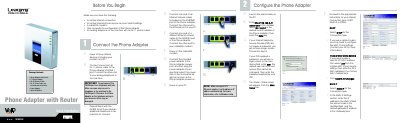
Linksys SPA2102 Phone Adapter with Router Quick Installation Guide
This guide walks you through the initial setup of the Linksys SPA2102 Phone Adapter with Router, including connecting Ethernet and power cables, accessing the web interface, and selecting your Internet connection type (DHCP, Static IP, or PPPoE). It also lists the package contents and important safety notes.
The document explains how to use the Interactive Voice Response (IVR) menu to configure network settings via an analog telephone, perform factory resets, and reboot the device. Additional troubleshooting tips and references to the full User Guide are provided.
Linksys SPA2102 specifications
| Default IP address | 192.168.0.1 |
|---|---|
| Default user name | user |
| Power adapter voltage | 5 V |
| Ethernet ports | 1 Ethernet (LAN) port, 1 Internet port |
All Linksys SPA2102 documents by type
Day-to-day operation, settings and troubleshooting. Start here if the product is already set up.
Mounting, wiring and first power-up. Read it before the hardware goes in.
The shortest path to a working setup, usually only a few pages.
Questions answered in these manuals
How can I access the web‑based utility for the SPA2102?
Open a web browser and navigate to the adapter’s IP address as described in the “How to Access the Web‑based Utility” section.
Where can I find the MAC address of the Ethernet adapter?
See Appendix B “Finding the MAC Address and IP Address for Your Ethernet Adapter” for the MAC address details.
How do I access the web configuration page?
Open a web browser on a PC and go to http://192.168.0.1/ to reach the phone adapter’s configuration interface.
How do I change the connection type to DHCP?
In the web interface, go to the WAN Setup tab and select DHCP as the Connection Type, then submit the changes.
How do I activate the Linksys SPA2102 ATA?
Retrieve the activation code from the 8x8 Account Manager (or the email you received) and follow the on‑screen prompts after dialing **** on a connected phone.
How can I configure the SPA2102 to act as a router?
Connect a broadband modem directly to the ATA, then access the web interface using the ATA’s IP address, enable NAT under the LAN Setup tab, and save the changes.