
Key facts
Start here
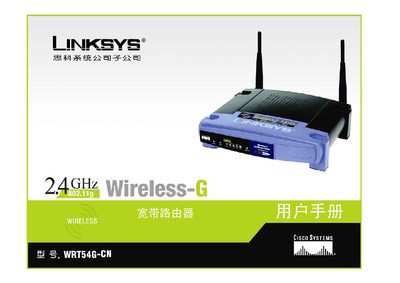
Linksys WRT54G-CN Wireless-G Router User Manual
This manual guides users through planning a wireless network, connecting the WRT54G-CN router to a broadband modem and other devices, and installing the router using the built‑in installation wizard. It also explains how to configure basic and advanced settings such as DHCP, static IP, wireless security (WPA, WEP, WPA2) and MAC address cloning.
Additional sections cover application and gaming features, management tools, firmware upgrades, regulatory information, warranty details and contact information for Linksys support. The appendices include a glossary, troubleshooting FAQ, and full technical specifications of the router. This manual is written in Chinese.
Linksys WRT54GC specifications
| Maximum Wireless‑G Speed | 54 Mbps |
|---|---|
| Maximum Wireless‑B Speed | 11 Mbps |
| Number of Ethernet Ports | 4 |
All Linksys WRT54GC documents by type
Day-to-day operation, settings and troubleshooting. Start here if the product is already set up.
Questions answered in these manuals
What is the maximum wireless speed for Wireless‑G on the WRT54GC?
The router supports up to 54 Mbps when using the Wireless‑G standard.
How many Ethernet ports does the WRT54GC have?
The router provides four switched Ethernet ports for wired connections.
How can I access the router's web‑based utility?
Open a web browser and navigate to the router’s IP address; the manual explains the steps in the "How to access the web‑based utility" section.
How do I upgrade the router’s firmware?
Select the Management tab, choose Firmware Upgrade, and follow the on‑screen instructions to upload the new firmware file.
What is the warranty period for the WRT54G-CN router?
Linksys provides a three‑year limited warranty for the router under normal use.
How many Ethernet ports does the router have?
The router includes one 10/100 Mbps WAN port and four 10/100 Mbps LAN ports.