
Key facts
Start here
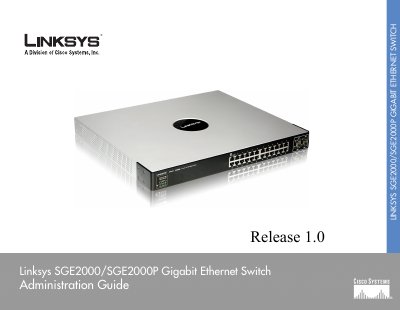
Linksys SGE2000/SGE2000P Gigabit Ethernet Switch User Manual
This guide provides detailed information on installing, configuring, and managing the Linksys SGE2000 and SGE2000P Gigabit Ethernet switches. It covers hardware overview, front and back panel descriptions, LED indicators, stacking, and power options.
The manual also explains console and web‑based configuration, security features such as RADIUS/TACACS+, PoE operation, and troubleshooting procedures for stack and hardware issues.
Linksys SGE2000 specifications
| Ports | 24 RJ‑45 connectors + 4 shared SFP slots |
|---|---|
| Switching Capacity | Up to 48 Gbps, non‑blocking |
| Power Consumption | 12 V @ 7.5 A (90 W) |
| Dimensions | 17.32" × 14.70" × 1.73" (440 × 375 × 44 mm) |
| Weight | 14.09 lb (6.39 kg) |
| Fans | 2 |
| Stacking Capacity | Up to 8 units (192 ports) |
All Linksys SGE2000 documents by type
Day-to-day operation, settings and troubleshooting. Start here if the product is already set up.
Ratings, dimensions and ordering codes, for selection and design work.
Questions answered in these manuals
How many Ethernet ports does the SGE2000 have?
It has 24 10/100/1000 Mbps Ethernet ports.
What is the maximum switching capacity of the SGE2000?
The switch can handle up to 48 Gbps of non‑blocking traffic.
How many Ethernet ports does the SGE2000 have?
The SGE2000 provides 24 RJ‑45 Ethernet ports.
From: Linksys SGE2000/SGE2000P Gigabit Ethernet Switch User Manual
Does the SGE2000P support Power over Ethernet?
Yes, the SGE2000P supports IEEE 802.3af PoE on any of its 24 ports.
From: Linksys SGE2000/SGE2000P Gigabit Ethernet Switch User Manual