
Key facts
Start here
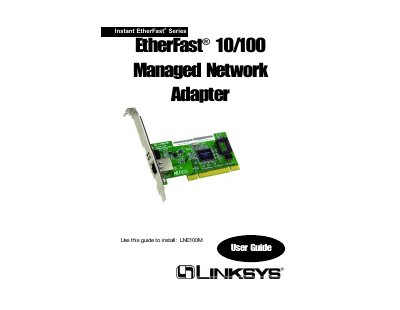
Linksys LNE100M EtherFast 10/100 Managed Network Adapter User Guide
The EtherFast®10/100 Managed Network Adapter is a plug‑and‑play PCI network card that auto‑negotiates between 10 Mbps and 100 Mbps Ethernet speeds. It includes management features such as Wake‑On‑LAN, 802.1Q VLAN support, 802.1p QoS tagging, and full‑duplex operation up to 200 Mbps.
This guide walks you through unpacking the adapter, installing it in a PCI slot, connecting the RJ‑45 cable, and installing the device drivers using the supplied Setup Utility CD. It also covers the configuration utility, diagnostics, troubleshooting tips, warranty terms, and FCC compliance information.
Linksys EtherFast 10 specifications
| Model Number | PCM100 v3 |
|---|---|
| Standards | IEEE 802.3, IEEE 802.3u, PCMCIA |
| Port | One 10BaseT/100BaseTX Auto‑Sensing Port |
| Half‑Duplex Speed | 10 Mbps or 100 Mbps |
| Full‑Duplex Speed | 20 Mbps or 200 Mbps |
| Cabling | UTP Category 5 (or better) |
| Dimensions | 4.7" × 2.6" × 0.75" (119 mm × 66 mm × 19 mm) |
| Certifications | FCC Class B, CE Mark, UL and CSA Listed |
All Linksys EtherFast 10 documents by type
Day-to-day operation, settings and troubleshooting. Start here if the product is already set up.
Questions answered in these manuals
Which LEDs indicate the link status and speed on the card?
The card has three LEDs: Link, Activity, and a 10/100 Mbps indicator.
What type of cable should be used to connect devices to the hub?
Connections must use Category 5 unshielded twisted‑pair (UTP) cabling, with each cable not exceeding 100 meters (328 ft).
From: Linksys Instant EtherFast 10/100 Auto-Sensing Hub User Manual
How many 100 Mbps hubs can be cascaded directly?
Only two 100 Mbps Fast Ethernet hubs can be cascaded; more requires a switch or repeater.
From: Linksys Instant EtherFast 10/100 Auto-Sensing Hub User Manual
What warranty does Linksys provide for the EtherFast 10/100 Managed Network Adapter?
Linksys guarantees the adapter is free from physical defects in material and workmanship for the lifetime of the adapter, provided you have proof of purchase.
From: Linksys LNE100M EtherFast 10/100 Managed Network Adapter User Guide
How do I install the driver for the LNE100M adapter on Windows?
Insert the Setup Utility CD and follow the Install Wizard steps shown in the guide to install the adapter’s drivers.
From: Linksys LNE100M EtherFast 10/100 Managed Network Adapter User Guide