
Key facts
Start here
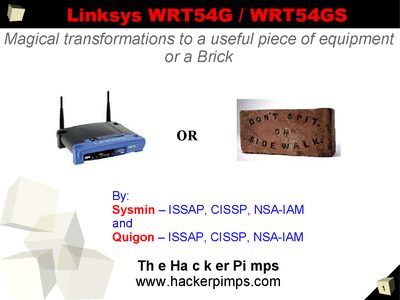
Linksys WRT54G/WRT54GS User Manual
This document provides an overview of the Linksys WRT54G and WRT54GS wireless routers, listing key hardware specifications such as processor speed, flash memory, and RAM. It also references original Linksys firmware sources and alternative firmware projects like OpenWRT and SvEASoft.
The guide includes safety warnings about modifying firmware, which can void the warranty and potentially brick the device. It offers practical advice on protecting equipment in outdoor installations, cable selection, and using weather‑proof enclosures.
Linksys WRT54GS specifications
| Firmware Version | V2.07.1 |
|---|---|
| Default IP address | 192.168.1.1 |
| Subnet Mask | 255.255.255.0 |
| DHCP Starting IP | 192.168.1.100 |
| Maximum DHCP Users | 50 |
| Wireless Channel (default) | 6 |
| Security Mode | WPA‑Radius (PSK‑Radius) |
| WPA Algorithm | TKIP |
| RADIUS Port | 1812 |
All Linksys WRT54GS documents by type
Day-to-day operation, settings and troubleshooting. Start here if the product is already set up.
Questions answered in these manuals
What are the available Internet connection types in the Basic Setup?
The available types are Automatic Configuration - DHCP, Static IP, PPPoE, PPTP, Telstra Cable, L2TP.
From: Linksys WRT54GS Wireless-G Broadband Router User Guide
How do I access the router configuration page?
Open a web browser, enter http://192.168.1.1, and log in with the default username (blank) and password (admin).
What wireless channel should I use for the WRT54GS?
Leave the wireless channel at its default setting, which is channel 6.
Will modifying the firmware void the warranty?
Yes, modifying your firmware will void your warranty.
Is there a risk of bricking the router when flashing firmware?
There is a possibility that you may brick your WRT.
How can I access the router via Telnet?
Open a terminal on a PC connected to the router and run `telnet 192.168.1.1` (or the appropriate interface IP).