
Key facts
Start here
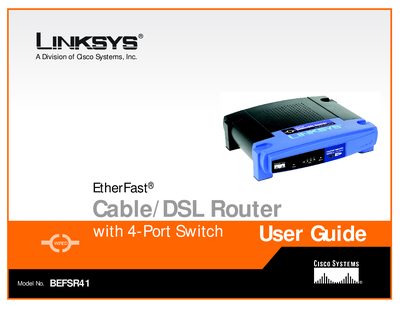
Linksys BEFSR41 Cable/DSL Router with 4-Port Switch User Guide
This user guide walks you through installing and configuring the Linksys BEFSR41 Cable/DSL Router with its built‑in 4‑port switch. It explains networking basics, shows how to connect the router to a cable or DSL modem, and details the web‑based utility for customizing settings.
The guide also includes appendices for troubleshooting common problems, upgrading firmware, locating MAC and IP addresses, Windows help, a glossary, specifications, warranty, regulatory compliance, and contact information for Linksys support.
Linksys BEFSR41 specifications
| Model Number | BEFSR41 v2 |
|---|---|
| LAN Ports | Four 10/100 RJ‑45 switched ports |
| WAN Port | One 10Base‑T Ethernet RJ‑45 port |
| LAN Speed | 10/100 Mbps |
| Dimensions | 186 mm × 154 mm × 48 mm |
| Power Input | External, 9 V AC, 1 A |
| Model Number | BEFSRU31 |
| LAN Ports | Three 10/100 RJ‑45 switched ports |
| USB Port | USB Type B (slave) on 3‑Port model |
| Model Number | BEFSR11 |
All Linksys BEFSR41 documents by type
Day-to-day operation, settings and troubleshooting. Start here if the product is already set up.
- Linksys BEFSR41 Router User Manual 54 p
- Linksys BEFSR41 Router User Guide 70 p
- LINKSYS BEFSRU31 EtherFast Cable/DSL Router with USB Port 10/100 3-Port Switch BEFSR41 v2 EtherFast Cable/DSL Router with 10/100 4-Port Switch BEFSR11 EtherFast 1-Port Cable/DSL Router User Gu 45 p
- Linksys BEFSR41 Cable/DSL Router with 4-Port Switch User Guide 72 p
Questions answered in these manuals
Which LED indicates a 100 Mbps connection?
The orange 100 LED lights up when a successful 100 Mbps connection is made on the corresponding port.
What type of network cable is recommended for the router?
Category 5 twisted‑pair cable is the most reliable and highly recommended.
How do I upgrade the router’s firmware?
See Appendix B, which explains the steps for upgrading the router’s firmware.
From: Linksys BEFSR41 Cable/DSL Router with 4-Port Switch User Guide
Where can I find the MAC address for my Ethernet adapter?
Appendix C provides instructions for locating the MAC address and IP address of your Ethernet adapter.
From: Linksys BEFSR41 Cable/DSL Router with 4-Port Switch User Guide