
Key facts
- Brand
- Linksys
- Model
- E4200
- Documents
- 2
- Languages
- EN
- Last added
- 2012-05-08
Start here
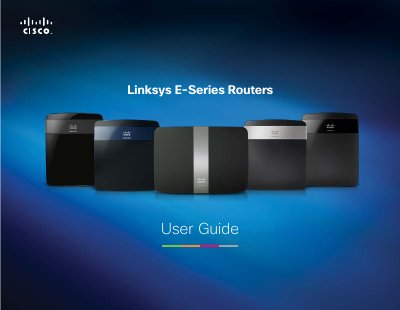
Linksys E-Series E1200/E1500 E2500 E3200 E4200Routers User Guide
This guide provides step‑by‑step instructions for installing and configuring Linksys E‑Series routers (E1200, E1500, E2500, E3200, and E4200). It covers basic network creation, wireless security, parental controls, VPN setup, and using the router as an access point or media server.
Advanced topics include port forwarding, firmware upgrades, backup and restore of router settings, and detailed specifications for each model. The document also includes troubleshooting tips and a reference for the router’s LED indicators and hardware layout.
Linksys E4200 specifications
| Model Name | Linksys E4200 |
|---|---|
| Radio Frequency | 2.4 and 5 GHz |
| Switch Port Speed | 10/100/1000 Mbps (Gigabit Ethernet) |
| Number of Antennas | 6 total (3 internal per band) |
| Antenna Gain (2.4 GHz) | up to 3.8 dBi |
| Antenna Gain (5 GHz) | up to 5.3 dBi |
| Dimensions | 8.86" x 0.98" x 6.30" (225 x 25 x 160 mm) |
| Weight | 12.52 oz (355 g) |
| Security Features | WEP, WPA, WPA2 |
Source: Linksys E4200 Linksys E3000 Maximum Performance Wireless-N Router User Guide
All Linksys E4200 documents by type
Day-to-day operation, settings and troubleshooting. Start here if the product is already set up.
Questions answered in these manuals
How do I access the router's browser‑based utility?
Open a web browser on a connected computer and enter the router’s default IP address 192.168.1.1 in the address field.
From: Linksys E4200 Linksys E3000 Maximum Performance Wireless-N Router User Guide
How do I reset the router to factory defaults?
Press and hold the Reset button for approximately five seconds; the router will restore factory settings.
From: Linksys E4200 Linksys E3000 Maximum Performance Wireless-N Router User Guide
How do I restore factory defaults on a Linksys router?
Select the option “How to restore factory defaults” in the router’s utility menu to reset the device to its original settings.
From: Linksys E-Series E1200/E1500 E2500 E3200 E4200Routers User Guide
How can I set up Wi‑Fi Protected Setup (WPS) on the router?
Use the “How to set up wireless security using Wi‑Fi Protected Setup” instructions to enable WPS via the button or PIN method.
From: Linksys E-Series E1200/E1500 E2500 E3200 E4200Routers User Guide