
Key facts
Start here
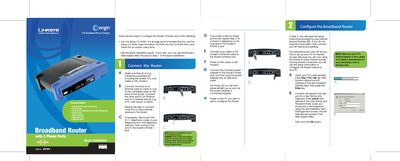
Linksys RT31P2 Broadband Router Quick Start Guide
This guide provides step‑by‑step instructions for installing and configuring the Linksys RT31P2 broadband router. It covers connecting power, Ethernet, telephone lines, and the router’s Internet port, then walks you through the web‑based utility for basic setup.
The document explains how to select the appropriate Internet connection type (DHCP, Static IP, PPPoE, PPTP, RAS, Heart Beat Signal), enter ISP‑provided settings, and verify the configuration by testing the router’s web interface.
Linksys RT31P2 specifications
| Telephone ports | up to two RJ‑11 ports |
|---|---|
| Network interface | RJ‑45 Ethernet connection |
| Supported codecs | G.711, G.726, G.729A, G.723.1 |
Source: Linksys PAP2/RT31P2 Phone Adapter Administration Guide
All Linksys RT31P2 documents by type
Day-to-day operation, settings and troubleshooting. Start here if the product is already set up.
The shortest path to a working setup, usually only a few pages.
Questions answered in these manuals
How many telephone ports does the Linksys Phone Adapter provide?
The adapter provides up to two RJ‑11 ports for standard analog phones.
From: Linksys PAP2/RT31P2 Phone Adapter Administration Guide
Which codecs are supported by the Linksys Phone Adapter?
It supports G.711 (A‑law and µ‑law), G.726, G.729A, and G.723.1.
From: Linksys PAP2/RT31P2 Phone Adapter Administration Guide
How do I access the router’s configuration interface?
Open a web browser and go to http://192.168.15.1.
What are the default login credentials?
The default username and password are both "admin".
How do I access the router’s web configuration page?
Open a web browser on a connected PC and go to http://192.168.15.1, then log in with the default username admin.
From: Linksys RT31P2 Broadband Router Quick Installation Guide
How do I set up a static IP address?
Select Static IP as the connection type, then enter the IP address, subnet mask, gateway, and DNS servers provided by your ISP.
From: Linksys RT31P2 Broadband Router Quick Installation Guide