
This document introduces the quick installation method of SPA2102 Phone Adapter with Router C, including connecting the network, connecting the power supply, logging in to the device management interface and configuring the network connection
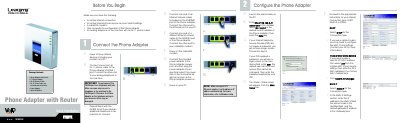
This guide walks you through the initial setup of the Linksys SPA2102 Phone Adapter with Router, including connecting Ethernet and power cables, accessing the web interface, and selecting your Internet connection type (DHCP, Static IP, or PPPoE). It also lists the package contents and important safety notes.
The document explains how to use the Interactive Voice Response (IVR) menu to configure network settings via an analog telephone, perform factory resets, and reboot the device. Additional troubleshooting tips and references to the full User Guide are provided.
| Power Adapter Voltage | 5 V |
|---|---|
| Default IP Address | 192.168.0.1 |
Connect an analog telephone to the PHONE port, then press the star key four times (****) to enter the IVR menu.
The default local IP address is 192.168.0.1.
The device supports DHCP, Static IP, and PPPoE connection types.