
Key facts
Start here
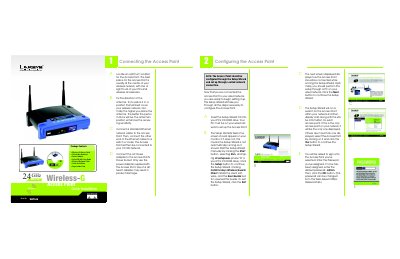
Linksys WAP54G Wireless Access Point Quick Installation Guide
The guide provides a step‑by‑step walkthrough for installing the Linksys WAP54G Access Point. It starts with selecting an optimal location, attaching the detachable antennas, and connecting the Ethernet cable and power adapter.
After the hardware is connected, the Setup Wizard on the supplied CD guides you through configuring the SSID, channel, security settings, and network address. The document also lists technical support contacts and optional Linksys Wireless Guard security subscription.
Linksys WAP54G specifications
| Standard | IEEE802.11g, IEEE802.11b |
|---|---|
| Channels (US/EU/JP) | 11 (US), 13 (EU), 14 (JP) |
| Ethernet Port | One 10/100 Mbps auto‑MDI/MDI‑X port |
| Wireless Data Rate | Maximum 54 Mbps |
| Ethernet Data Rate | 10/100 Mbps |
| Transmit Power | 15 dBm |
| Receive Sensitivity | -80 dBm (11 Mbps) typical, -65 dBm (54 Mbps) |
| Dimensions | 7.32" × 6.89" × 1.89" (186 mm × 175 mm × 48 mm) |
| Weight | 18.25 oz (0.51 kg) |
| Operating Temperature | 32 °F‑1040 °F (0‑400 °C) |
| Storage Temperature | -40 °F‑158 °F (-20‑70 °C) |
| Operating Humidity | 10%‑80% (no condensation) |
Source: Linksys WAP54G-CN Wireless-G Access Point User Manual
All Linksys WAP54G documents by type
The shortest path to a working setup, usually only a few pages.
Day-to-day operation, settings and troubleshooting. Start here if the product is already set up.
Questions answered in these manuals
How do I start the Setup Wizard?
Insert the Setup Wizard CD into your PC's CD‑ROM drive and run d:\setup.exe.
From: Linksys WAP54G Wireless Access Point Quick Installation Guide
What is the default password for the access point?
The default password is "admin".
From: Linksys WAP54G Wireless Access Point Quick Installation Guide
How many wireless networks can the WAP54GPE support?
It can support communications on up to eight wireless networks using VLAN technology.
From: Linksys WAP54GPE Wireless-G Exterior Access Point User Manual
Does the WAP54GPE support Power over Ethernet (PoE)?
Yes, the device offers PoE capability, allowing data and power over a single Ethernet cable.
From: Linksys WAP54GPE Wireless-G Exterior Access Point User Manual
What is the default IP address of the WAP54G‑CN?
The default IP address is 192.168.1.245.
How can I reset the access point to factory defaults?
Press and hold the reset button for about ten seconds with a pointed object, or use the password label on the device.