
Key facts
- Brand
- Linksys
- Model
- WVC2300
- Category
- Other device
- Industry
- Electronics
- Documents
- 2
- Languages
- EN
- Last added
- 2012-05-08
Start here
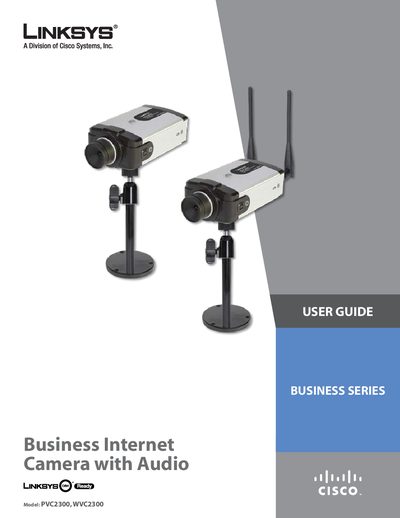
Linksys PVC2300 & WVC2300 Business Internet Camera with Audio User Guide
This user guide provides detailed instructions for the Linksys Business Internet Video Camera with Audio, covering two models: the PVC2300 (PoE) and the WVC2300 (wireless). It includes hardware installation, network setup, software usage, and advanced configuration options.
The document also lists technical specifications, lens options, and regulatory information, along with troubleshooting tips and warranty details.
Linksys WVC2300 specifications
| Sensor | 1/4" Progressive CCD, 0.4 lux @ F1.7 |
|---|---|
| Lens | CS‑Mount, Fixed Focus, 500 mm‑∞ (included lens) |
| Field of View | 60° (included lens) |
| Video Resolution | 640×480 (VGA), 320×240 (QVGA), 160×120 (QQVGA) |
| Frame Rate | 1 to 30 fps selectable |
| Audio | 2‑way audio, built‑in mic (‑40 dB + 3 dB), 3.5 mm mic input |
| Power | External 12 V / 1 A adapter, 10 W consumption |
Source: Linksys WVC2300 Wireless Business Internet Video Camera User Manual
All Linksys WVC2300 documents by type
Day-to-day operation, settings and troubleshooting. Start here if the product is already set up.
Questions answered in these manuals
What video codecs does the WVC2300 support?
The camera supports dual codecs: MPEG‑4 Simple Profile and MJPEG, and can stream both simultaneously.
From: Linksys WVC2300 Wireless Business Internet Video Camera User Manual
How can the WVC2300 be mounted?
It can be mounted on any Pan‑Tilt (PT) base that supports the Pelco_D protocol and includes a mounting bracket.
From: Linksys WVC2300 Wireless Business Internet Video Camera User Manual
What power option does the PVC2300 use?
The PVC2300 can be powered via Power over Ethernet (PoE), allowing installation where a power outlet is not available.
From: Linksys PVC2300 & WVC2300 Business Internet Camera with Audio User Guide