
Key facts
- Brand
- Linksys
- Model
- SRW224
- Category
- Network Switches
- Documents
- 3
- Languages
- EN · ZH
- Last added
- 2012-05-08
Start here
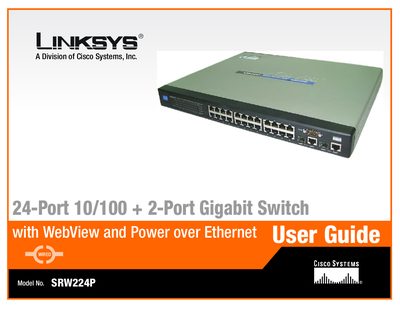
Linksys SRW224P 24-Port 10/100 + 2-Port Gigabit Switch User Guide
This guide details the hardware features, physical layout, and performance characteristics of the Linksys SRW224P 24‑port 10/100 + 2‑port Gigabit switch, as well as how to install and set it up. It is intended for system administrators familiar with networking concepts.
Key sections cover front, back, and side panel descriptions, console and web‑based configuration, PoE settings, QoS, security, VLANs, spanning‑tree, and maintenance tasks such as firmware upgrades and factory resets. Appendices provide Ethernet standards, cabling information, a glossary, specifications, warranty, regulatory details, and contact information.
Linksys SRW224 specifications
| Ports | 24 RJ‑45 10/100, 4 RJ‑45 10/100/1000, 2 shared SFP slots |
|---|---|
| Switching Capacity | 12.8 Gbps, non‑blocking |
| MAC Table Size | 8 K entries |
| Number of VLANs | 256 |
| Operating Temperature | 32 °F to 104 °F (0 °C to 40 °C) |
| Dimensions (W × H × D) | 16.93" × 1.75" × 7.97" (430 × 44 × 203 mm) |
Source: Linksys SRW224G4 24-Port 10/100 + 4-Port Gigabit Switch User Manual
All Linksys SRW224 documents by type
Day-to-day operation, settings and troubleshooting. Start here if the product is already set up.
Questions answered in these manuals
How can the SRW224G4 be configured and monitored?
The switch can be configured and monitored via a standard web browser using the WebView management interface, as well as through SSH, SSL, SNMP and Telnet.
From: Linksys SRW224G4 24-Port 10/100 + 4-Port Gigabit Switch User Manual
What security features are included in the SRW224G4?
Security features include 802.1X port authentication, MAC address filtering, ACLs for traffic control, and support for RADIUS authentication.
From: Linksys SRW224G4 24-Port 10/100 + 4-Port Gigabit Switch User Manual
How many Ethernet ports does the SRW224 have?
The SRW224 provides 24 ten‑megabit/fast‑Ethernet ports and 2 gigabit Ethernet ports.
What management interfaces are available?
The switch supports both serial console configuration and web configuration for managing VLANs and trunks.
How do I access the console interface of the SRW224P?
Connect a computer to the console port, open Hyperterminal (or similar), set COM1 properties, and log in using the provided credentials.
From: Linksys SRW224P 24-Port 10/100 + 2-Port Gigabit Switch User Guide
Can the switch be configured through a web browser?
Yes, the guide includes a Web Utility section that lets you configure system information, IP settings, VLANs, QoS, PoE, and more via a web interface.
From: Linksys SRW224P 24-Port 10/100 + 2-Port Gigabit Switch User Guide