
This document is a guide to configuring the Linksys SPA2102 router
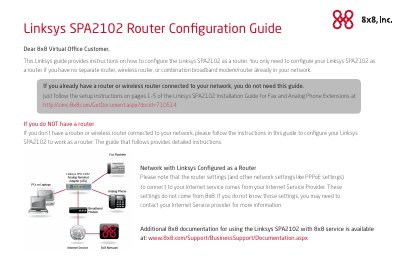
This document provides instructions for configuring the Linksys SPA2102 Phone Adapter with Router to function as a router. It is specifically designed for users who do not have a separate router or wireless router connected to their network. The guide explains how to set up the device to share a high-speed Internet connection and resources among multiple computers and peripherals.
| Data Networking Protocols | IPv4, IPv6, ARP, DNS, DHCP, PPPoE, ICMP, TCP, UDP, RTP, RTCP, DiffServ, VLAN Tagging, SNTP |
|---|---|
| Voice Gateway Protocols | SIP v2, SIP Proxy Redundancy, NAT, STUN, Secure RTP |
| Voice Codecs | G.711 (A-law and µ-law), G.726, G.729A, G.723.1 |
| Fax Capability | T.38 Fax, Fax Tone Detection, Pass-Through |
| Audio Features | Echo Cancellation, VAD, Jitter Buffer, Frame Loss Concealment |
You only need to configure your Linksys SPA2102 as a router if you have no separate router, wireless router, or combination broadband modem/router already in your network.
The router settings and other network settings like PPPoE settings come from your Internet Service Provider, not from 8x8.
If you already have a router or wireless router connected to your network, you do not need this guide and should follow the setup instructions on the Linksys SPA2102 Installation Guide instead.