
Key facts
Start here
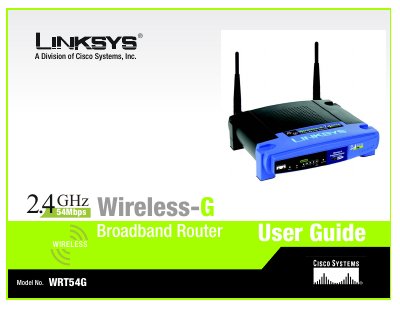
LINKSYS WRT54GRouter Manual
This user guide walks you through planning a wireless network, installing the WRT54G router, and configuring both wired and wireless connections. It includes detailed chapters on hardware installation, PC configuration, router setup, security settings, and firmware upgrades.
Appendices cover specifications, wireless security best practices, troubleshooting, warranty, regulatory compliance, and contact information for Linksys support.
Linksys WRT54GR specifications
| Standards | IEEE 802.3, 802.3u, 802.11g, 802.11b |
|---|---|
| Channels (US/Canada) | 11 channels |
| Ports | 1 Internet, 4 LAN ports |
| Data Rate | Up to 54 Mbps |
| Transmit Power | 15 dBm |
| Dimensions | 7.31" x 1.89" x 7.87" (L × W × H) |
| Power Supply | External 12 V DC, 1 A |
| Operating Temperature | 0 °C to 40 °C |
| Operating Humidity | 10 % to 85 % non‑condensing |
Source: LINKSYS WRT54GRouter Manual
All Linksys WRT54GR documents by type
Day-to-day operation, settings and troubleshooting. Start here if the product is already set up.
Questions answered in these manuals
How many Ethernet ports does the WRT54G have?
It has one 10/100 Mbps Internet port and four 10/100 Mbps switched LAN ports.
What is the maximum wireless data rate of the router?
The router supports a maximum data rate of up to 54 Mbps.
What wireless standards does the WRT54G support?
The router supports IEEE 802.11b and IEEE 802.11g wireless standards.
How many Ethernet ports are on the router?
It has one 10/100 Mbps Internet port and four 10/100 Mbps LAN switched ports.
Where can I find the MAC address for my Ethernet adapter?
The MAC address information is provided in Appendix E, which explains how to locate the MAC address and IP address for your Ethernet adapter.
How can I upgrade the router’s firmware?
Firmware upgrades are described in Appendix C, which gives step‑by‑step instructions for updating the router’s firmware.