
Key facts
Start here
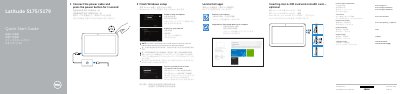
Dell Latitude 5175/5179 Quick Start Guide
This guide helps you power on and set up your Dell Latitude 5175/5179 laptop. It includes steps to connect to Wi-Fi, sign in to your Microsoft account, and locate ports like USB, HDMI, and charging. The guide also covers optional features such as fingerprint readers and NFC sensors for specific models. This manual is written in Chinese.
Read onlineDell Latitude 5175 specifications
| Computer model | Latitude 5175/5179 |
|---|---|
| Regulatory model | T04E |
| Regulatory type | T04E001 |
| NFC sensor | Latitude 5175 only |
All Dell Latitude 5175 documents by type
The shortest path to a working setup, usually only a few pages.
- Dell Latitude 5175/5179 Quick Start Guide 2 p
- Dell Latitude 5175/5179 Laptop Quick Start Guide 2 p
- Dell Latitude 5175/5179 Laptop Quick Start Guide 2 p
- Dell Latitude 5175/5179 Notebook Quick Start Guide 2 p
- Dell Latitude 5175/5179 Quick Start Guide 2 p
- Dell Latitude 5175/5179 Quick Start Guide 2 p
- Dell Latitude 5175/5179 Quick Start Guide 2 p
- Dell Latitude 5175/5179 Computer Quick Start Guide 2 p
- Dell Latitude 5175/5179 Series Notebook Quick Start Guide 2 p
- Dell Latitude 5175/5179 Quick Start Guide 2 p
- Dell Latitude 5175/5179 Quick Start Guide 2 p
- Dell Latitude 5175/5179 Laptop Quick Start Guide 2 p
- Dell Latitude 5175/5179 Laptop Quick Start Guide 2 p
- Dell Latitude 5175/5179 Quick Start Guide 2 p
- Dell Latitude 5175/5179 Computer Quick Start Guide 2 p
- Dell Latitude 5175/5179 Quick Start Guide 2 p
- Dell Latitude 5175/5179 Quick Start Guide 2 p
- Dell Latitude 5175/5179 Computer Quick Start Guide 2 p
- Dell Latitude 5175/5179 Quick Start Guide 2 p
- Dell Latitude 5175/5179 Laptop Quick Start Guide 2 p
- Dell Latitude 5175/5179 Quick Start Guide 2 p
- Dell Latitude 5175/5179 Quick Start Guide 2 p
- Dell Latitude 5175/5179 Series Notebook Quick Start Guide 2 p
- Dell Latitude 5175/5179 Laptop Quick Start Guide 2 p
- Dell Latitude 5175/5179 Notebook Quick Start Guide 2 p
- Dell Latitude 5175/5179 Laptop Quick Start Guide 2 p
- Dell Latitude 5175/5179 Quick Start Guide 2 p
- Dell Latitude 5175/5179 Quick Start Guide 2 p
- Dell Latitude 5175/5179 Quick Start Guide 2 p
- Dell Latitude 5175/5179 Quick Start Guide 2 p
- Dell Latitude 5175/5179 Laptop Quick Start Guide 2 p
- Dell Latitude 5175/5179 Quick Start Guide 2 p
- Dell Latitude 5175/5179 Quick Start Guide 2 p
- Dell Latitude 5175/5179 Quick Start Guide 2 p
- Dell Latitude 5175/5179 Quick Start Guide 2 p
- Dell Latitude 5175/5179 Computer Quick Start Guide 2 p
- Dell Latitude 5175/5179 Quick Start Guide 2 p
- Dell Latitude 5175/5179 Quick Start Guide 2 p
- Dell Latitude 5175/5179 Laptop Quick Start Guide 2 p
- Dell Latitude 5175/5179 Laptop Quick Start Guide 2 p
- Dell Latitude 5175/5179 Quick Start Guide 2 p
- Dell Latitude 5175/5179 Quick Start Guide 2 p
- Dell Latitude 5175/5179 Quick Start Guide 2 p
- Dell Latitude 5175/5179 Quick Start Guide 2 p
- Dell Latitude 5175/5179 Quick Start Guide 2 p
- Dell Latitude 5175/5179 Quick Start Guide 2 p
- Dell Latitude 5175/5179 Quick Start Guide 2 p
- Dell Latitude 5175/5179 Series Notebook Quick Start Guide 2 p
- Dell Latitude 5175/5179 Laptop Quick Start Guide 2 p
- Dell Latitude 5175/5179 Quick Start Guide 2 p
- Dell Latitude 5175/5179 Quick Start Guide 2 p
- Dell Latitude 5175/5179 Tablet Quick Start Guide 2 p
- Dell Latitude 5175/5179 Quick Start Guide 2 p
- Dell Latitude 5175/5179 Quick Start Guide 2 p
- Dell Latitude 5175/5179 Quick Start Guide 2 p
- Dell Latitude 5175/5179 Quick Start Guide 2 p
Day-to-day operation, settings and troubleshooting. Start here if the product is already set up.
Questions answered in these manuals
How do you turn on the computer?
Connect the power cable and press the power button for 1 second.
Does the Latitude 5179 include a fingerprint reader?
Yes, the Latitude 5179 includes a fingerprint reader.
How do I turn on the Dell Latitude 5175/5179?
Connect the power cable and press the power button for 1 second.
How do I create a recovery drive in Windows?
In Windows search, type Recovery, click Create a recovery drive, and follow the on-screen instructions.
How do I connect to Wi-Fi?
In the system tray, tap the wireless icon, select your network, and tap Connect.
How do you turn on the computer?
Connect the power cable and press the power button for 1 second.