
Dell Latitude 5175/5179 Laptop Quick Start Guide

Dell Latitude 5175/5179 Laptop Quick Start Guide.
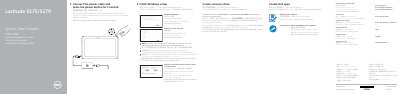

Dell Latitude 5175/5179 Laptop Quick Start Guide - cover page
Brand
DELL
Category
Laptops
Document type
Quick Start Guide
Language
English
Pages
2
File format
PDF
File size
1.3 MB
Published
23 November, 2023
Updated
23 November, 2023
MD5 checksum
3056D895ED7637AEEB82B78F27E49AC9

About this manual

This quick start guide helps set up the Dell Latitude 5175/5179 by connecting power, finishing Windows setup, enabling Dell updates, connecting to a network, and inserting optional micro-SIM and microSD cards.

It also identifies 26 device features and ports, including USB 3.0, micro-HDMI, USB-C power adapter port, docking connector, cameras, microphones, and model-specific NFC, fingerprint reader, and smart-card reader areas, plus regulatory and support information.

What's inside

  • Register your computer
  • Connect the power cable and press the power button for 1 second
  • Product support and manuals
  • Regulatory and safety
  • SupportAssist
  • Finish Windows setup
  • Enable Dell updates
  • Connect to your network
  • Inserting micro-SIM card and microSD card
  • Features

Specifications

Rated voltage100-240 V AC
Rated frequency50/60 Hz
Rated input current0.9 A (30 W)

Frequently asked questions

How do I connect to a wireless network?

In the system tray, tap the wireless icon, select your network, and tap Connect.

How do I create a recovery drive?

In Windows search, type Recovery, click Create a recovery drive, and follow the instructions on the screen.

Which Latitude model has a fingerprint reader and smart-card reader?

The fingerprint reader and smart-card reader are on Latitude 5179 only.

Download PDF (1.3 MB)

More DELL Manuals


View all DELL manuals →