
Key facts
Start here
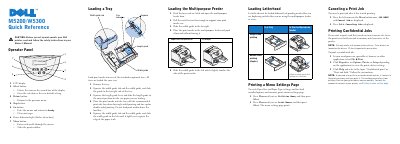
Dell M5200/W5300 Printer Quick Reference Guide
The Dell M5200/W5300 Quick Reference Guide provides essential instructions for operating the printer, including a detailed breakdown of the operator panel buttons and their functions.
It includes step-by-step procedures for loading print media into standard trays and the multipurpose feeder, as well as instructions for printing menu settings, canceling jobs, and managing confidential print jobs.
Dell M5200 specifications
| Standard tray capacity | 500 sheets |
|---|---|
| Connection ports | Ethernet port and USB port |
| FCC device class | Class B digital device |
All Dell M5200 documents by type
Day-to-day operation, settings and troubleshooting. Start here if the product is already set up.
The shortest path to a working setup, usually only a few pages.
Questions answered in these manuals
How do I replace a toner cartridge?
Remove the used cartridge, clean the printer, and install the new cartridge following the step-by-step instructions.
What safety precautions should I take?
The printer uses a laser and generates heat during printing. Avoid exposure to laser radiation and ensure proper ventilation to prevent harmful emissions.
How do I cancel a print job on the Dell M5200/W5300?
Press the left arrow on the Menu button once to display JOB MENU and Cancel Job, then press Select.
What should I do if the printer displays 'Change Tray x'?
Remove the current print media from the specified tray and load the requested size or type, or press Select to print on the currently loaded media.
What is the Dell M5200 Workgroup Laser Printer?
It is a printer that includes a multipurpose feeder, a standard 500-sheet tray, and optional components like an envelope feeder and duplex unit.
How can I order replacement toner cartridges?
You can order them by visiting the Dell website or by calling the number listed under the By Telephone heading.