
Dell Latitude 5175/5179 Series Notebook Quick Start Guide

Quick Start Guide for Dell Latitude 5175/5179 series laptops.
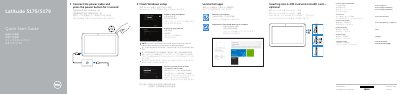

Dell Latitude 5175/5179 Series Notebook Quick Start Guide - cover page
Brand
DELL
Category
Laptops
Document type
Quick Start Guide
Language
English
Pages
2
File format
PDF
File size
1.2 MB
Published
25 November, 2023
Updated
25 November, 2023
MD5 checksum
A3DAACFD6418B52928D1F13A4114B185

About this manual

This Quick Start Guide covers the initial setup process for the Dell Latitude 5175 and 5179 Series notebooks. It instructs users on how to connect the power cable, complete the Windows setup, enable security updates, and connect to a network. The guide also explains how to register the computer and insert optional cards like micro-SIM and microSD.

What's inside

  • Product support and manuals
  • Regulatory and safety
  • Finish Windows setup
  • Locate Dell apps
  • Register your computer
  • Inserting micro-SIM card and microSD card
  • Features
  • Connecting to your network

Frequently asked questions

How do I turn on the notebook?

Connect the power cable and press the power button for 1 second.

What should I do if I am connecting to a secured wireless network?

Enter the password for the wireless network access when prompted.

Which model includes a fingerprint reader?

The fingerprint reader is available on the Latitude 5179 only.

Download PDF (1.2 MB)

More DELL Manuals


View all DELL manuals →