
Dell Latitude 5175/5179 Quick Start Guide

Dell Latitude 5175/5179 Quick Start Guide
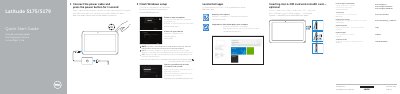

Dell Latitude 5175/5179 Quick Start Guide - cover page
Brand
DELL
Category
Laptops
Document type
Quick Start Guide
Language
English
Pages
2
File format
PDF
File size
1.2 MB
Published
22 November, 2023
Updated
22 November, 2023
MD5 checksum
1754BC54E9F6EEC2CF228E1BD2455512

About this manual

This guide helps you power on and set up your Dell Latitude 5175/5179 laptop. It covers connecting to Wi-Fi, signing in to your Microsoft account, and locating ports like USB, HDMI, and charging. The guide also explains optional features such as fingerprint readers and micro-SIM/microSD card slots, depending on the model.

What's inside

  • Powering On
  • Windows Setup
  • Connecting to Network
  • Sign In to Microsoft Account
  • Locating Ports
  • Inserting micro-SIM and microSD Cards
  • Registering Your Computer
  • SupportAssist
  • Features

Frequently asked questions

How do I connect to a secured wireless network?

Enter the wireless network password when prompted.

What ports are available on the Dell Latitude 5175/5179?

Ports include USB 3.0, Micro-HDMI, USB-C, headphone jack, and micro-SIM/microSD card slots.

Download PDF (1.2 MB)

More DELL Manuals


View all DELL manuals →