
Dell Latitude 5175/5179 Quick Start Guide.
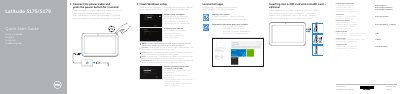
This document serves as a multilingual quick start guide for the Dell Latitude 5175 and Latitude 5179 laptops. It provides initial setup instructions in Danish, Finnish, Norwegian, Swedish, and Danish, guiding users to connect the power cable, press the power button, and complete the Windows installation process. The guide also directs users to enable security updates and connect to a network, including instructions for entering a password for secured wireless networks.
Connect the power cable and press the power button for 1 second.
A micro-SIM card and a microSD card can be inserted; this is optional.
The fingerprint reader is on the Latitude 5179 only.
You may need to activate your network service before connecting.