
Key facts
Start here
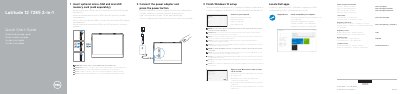
Dell Latitude 12 7285 2-in-1 Quick Start Guide
This guide helps you set up your Dell Latitude 12 7285 2-in-1 tablet. Connect the power adapter and press the power button to start. Insert optional micro-SIM and microSD cards, then complete Windows 10 setup. Connect to your network and sign in to your Microsoft account or create a local account. The device includes features like a camera, microphone, speakers, and Thunderbolt over USB Type-C ports.
The guide also includes safety information: when the WWAN transmitter is active, keep the screen-side at least 15 mm from your body. Other sides are safe for close contact. The tablet comes with Dell apps and support tools like SupportAssist for updates.
Dell Latitude 12 7285 2-in-1 specifications
| Regulatory type | T02J001 |
|---|---|
| Computer model | Latitude 7285 2-in-1 |
| WWAN transmitter body distance | 15 mm (0.59 inches) |
All Dell Latitude 12 7285 2-in-1 documents by type
The shortest path to a working setup, usually only a few pages.
Questions answered in these manuals
How do I connect to a secured wireless network?
Enter the password for the wireless network access when prompted.
What should I do if I’m connecting to a mobile broadband network?
You may need to activate your network service before connecting.
What should I do when connecting to a secured wireless network?
Enter the password for the wireless network access when prompted.
What should I do after finishing Windows 10 setup?
Check and update your computer.
How do I turn on the Dell Latitude 7285 2-in-1?
Connect the power adapter and press the power button.
Can I install a micro-SIM or microSD card?
Yes, insert the optional micro-SIM and microSD memory card, which is sold separately.