
Dell Latitude 5175/5179 Quick Start Guide
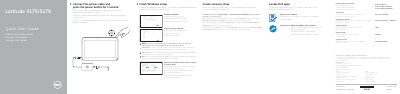
This quick start guide covers initial setup of the Dell Latitude 5175/5179, including connecting power, finishing Windows setup, enabling Dell updates, connecting to a network, signing in, locating Dell apps, and creating a recovery drive.
It also identifies the device ports and controls and provides regulatory, safety, battery, charger, and optional micro-SIM and microSD card information.
| Regulatory model | T04E |
|---|---|
| Regulatory type | T04E001 |
| Computer model | Latitude 5175/5179 |
| Power supply voltage | 100–240 V AC |
| Power supply frequency | 50–60 Hz |
| Input current | 1.30 A |
| Output voltage | 5 V DC / 20 V DC |
| Output current | 2.0 A / 1.50 A |
| Battery | Dell F17M7 / 0RVR9 / 8XKW5, 19.5 Vdc, 30 Wh |
| Charger | HA30NM150 / HKA30NM150 / DA30NM150 |
| Country of origin | China |
Connect the power cable and press the power button for 1 second.
In the system tray, tap the wireless icon, select your network, and tap Connect.
In Windows search, type Recovery, click Create a recovery drive, and follow the instructions on the screen.
You may need to activate your network service before connecting.