
Dell Latitude 5175/5179 Laptop Quick Start Guide

Dell Latitude 5175/5179 Laptop Quick Start Guide
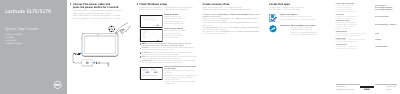

Dell Latitude 5175/5179 Laptop Quick Start Guide - cover page
Brand
DELL
Category
Laptops
Document type
Quick Start Guide
Language
English
Pages
2
File format
PDF
File size
1.2 MB
Published
22 November, 2023
Updated
22 November, 2023
MD5 checksum
BF1098237C4D33676B708F71AA4CEF9B

About this manual

This quick start guide helps set up a Dell Latitude 5175 or 5179 laptop, including connecting power, enabling Dell updates, connecting to a network, signing in to a Microsoft account, locating Dell apps, creating a recovery drive, and finishing Windows setup.

It also identifies the laptop's ports and controls, including USB, Micro-HDMI, USB-C, micro-SIM, and microSD slots, and notes optional micro-SIM and microSD card insertion.

What's inside

  • SupportAssist
  • Register your computer
  • Product support and manuals
  • Connect the power cable
  • Enable Dell updates
  • Connect to your network
  • Sign in to your Microsoft account
  • Create recovery drive
  • Inserting micro-SIM card and microSD card
  • Features and ports

Specifications

USB 3.0 port1
Micro-HDMI port1
USB-C port1
Micro-SIM card slot1
MicroSD card slot1

Frequently asked questions

How long should I press the power button?

Press the power button for 1 second.

How do I create a recovery drive?

In Windows search, type Recovery, click Create a recovery drive, and follow the instructions on the screen.

Which model has a fingerprint reader?

The fingerprint reader is available on the Latitude 5179 only.

Which model has the front NFC-sensor area?

The front NFC-sensor area is available on the Latitude 5175 only.

Download PDF (1.2 MB)

More DELL Manuals


View all DELL manuals →