
Dell Latitude 5175/5179 Quick Start Guide

Dell Latitude 5175/5179 Quick Start Guide
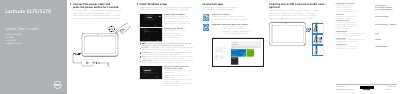

Dell Latitude 5175/5179 Quick Start Guide - cover page
Brand
DELL
Category
Laptops
Document type
Quick Start Guide
Language
DA
Pages
2
File format
PDF
File size
974 KB
Published
25 November, 2023
Updated
25 November, 2023
MD5 checksum
9091897862230D95B31B6E696430D9B3

About this manual

This document serves as a multilingual quick start guide for the Dell Latitude 5175 and Latitude 5179 laptops. It provides initial instructions in Danish, Finnish, Norwegian, Swedish, and Danish, covering the connection of the power cable, pressing the power button, and completing the Windows setup process. The guide also directs users to Dell's support website for additional manuals and regulatory compliance information.

What's inside

  • Product support and manuals
  • Regulatory and safety
  • Inserting micro-SIM card and microSD card
  • Finish Windows setup
  • Enable security and updates
  • Connect to your network
  • Sign in to your Microsoft account
  • Locate Dell apps
  • SupportAssist
  • Register your computer

Frequently asked questions

What is required to start the computer?

Connect the power cable and press the power button for 1 second.

Download PDF (974 KB)

More DELL Manuals


View all DELL manuals →