
Dell Latitude 5175/5179 Quick Start Guide

Dell Latitude 5175/5179 Quick Start Guide
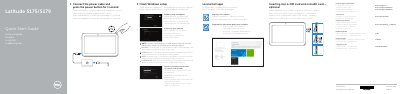

Dell Latitude 5175/5179 Quick Start Guide - cover page
Brand
DELL
Category
Laptops
Document type
Quick Start Guide
Language
English
Pages
2
File format
PDF
File size
974 KB
Published
25 November, 2023
Updated
25 November, 2023
MD5 checksum
E38CC5758644A31384BF356B82DDE73A

About this manual

This guide shows how to connect power, finish Windows setup, enable security and updates, and connect to a network. It also covers optional micro-SIM and microSD card insertion.

The guide includes a labeled feature diagram for the Latitude 5175/5179 and provides product support, regulatory, and safety information.

What's inside

  • Connect the power cable and press the power button
  • Finish Windows setup
  • Enable security and updates
  • Connect to your network
  • Inserting micro-SIM card and microSD card
  • Features
  • Product support and manuals
  • Regulatory and safety

Specifications

Regulatory modelT04E
Regulatory typeT04E001
Computer modelLatitude 5175/5179
Micro-HDMI port1
USB 3.0 port1
USB-C power-adapter port1
Micro-SIM card slot1
MicroSD-card slot1

Frequently asked questions

How long should I press the power button?

Press the power button for 1 second.

How do I connect to a secured wireless network?

Enter the password for the wireless network access when prompted.

Which model has a fingerprint reader?

The Latitude 5179 has a fingerprint reader.

Which model has a smart-card reader?

The Latitude 5179 has a smart-card reader.

Download PDF (974 KB)

More DELL Manuals


View all DELL manuals →