
Dell Latitude 5175/5179 Quick Start Guide

Dell Latitude 5175/5179 Quick Start Guide
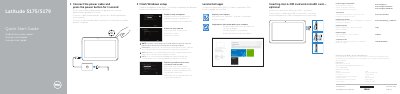

Dell Latitude 5175/5179 Quick Start Guide - cover page
Brand
DELL
Category
Laptops
Document type
Quick Start Guide
Language
English
Pages
2
File format
PDF
File size
1.1 MB
Published
24 November, 2023
Updated
24 November, 2023
MD5 checksum
BD46DA4F4AB1BE491964479D99557553

About this manual

This document serves as a Quick Start Guide for the Dell Latitude 5175 and Latitude 5179 laptops. It provides multilingual instructions for initial setup tasks such as connecting the power cable, inserting optional micro-SIM and microSD cards, and performing SupportAssist checks. The guide also covers the process of finishing Windows setup, enabling security updates, and connecting to a network.

What's inside

  • Inserting micro-SIM card and microSD card
  • SupportAssist Check and update your computer
  • Finish Windows setup
  • Enable security and updates
  • Connect to your network
  • Sign in to your Microsoft account
  • Locate Dell apps
  • Register your computer
Download PDF (1.1 MB)

More DELL Manuals


View all DELL manuals →