
Key facts
Start here
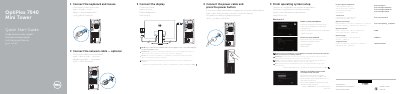
Dell OptiPlex 7040 Mini Tower Quick Start Guide
This guide walks you through initial setup: finishing OS setup, enabling security and updates, connecting to your network, and signing in to your Microsoft account or creating a local account. It also includes steps to connect peripherals like keyboard, mouse, and display. The back of the guide lists hardware features and ports with numbered labels for reference.
Read onlineDell 7040 Mini Tower specifications
| Form factor | Mini Tower |
|---|---|
| Front ports | USB 2.0 with PowerShare, USB 3.0, Line-out, HDMI, DisplayPort, Headphone, Serial, USB 2.0, PS2/Keyboard, USB 3.0 |
| Rear ports | USB 2.0 (Smart Power On), Expansion-card slots, Power connector, Power-supply diagnostic button/light, Cable-cover lock slot, DisplayPort, VGA (optional), PS2/Mouse, Network connector, Security-cable slot, Padlock ring |
All Dell 7040 Mini Tower documents by type
The shortest path to a working setup, usually only a few pages.
Day-to-day operation, settings and troubleshooting. Start here if the product is already set up.
Questions answered in these manuals
How do I connect to a secured wireless network?
Enter the wireless network access password when prompted.
What should I do if I ordered the computer with a discrete graphics card?
Connect the display to the discrete graphics card.
How do I connect to a secured wireless network during setup?
When prompted, enter the password for the wireless network access.
What should I do if my computer has a discrete graphics card?
Connect the display to the discrete graphics card instead of the onboard video port.
What should I do if the computer has a discrete graphics card?
Connect the display to the discrete graphics card.
Where can I get the latest system drivers after upgrading from Windows 7 32-bit to Windows 10?
Visit dell.com/support for the latest drivers.