
Dell Latitude 5175/5179 Quick Start Guide
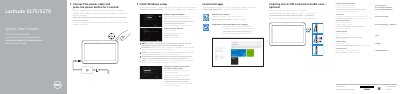
This document serves as a quick start guide for the Dell Latitude 5175 and Latitude 5179 laptops. It provides instructions in multiple languages for connecting the power cable, pressing the power button, and completing the initial Windows setup, including enabling security and updates. It also notes that users may need to activate their network service before connecting to mobile broadband. This manual is written in Czech.
| Models covered | Latitude 5175/5179 |
|---|---|
| Power button function | Connect the power cable and press the power button for 1 second |
| NFC sensor location | Latitude 5175 only |
| Fingerprint reader location | Latitude 5179 only |
Connect the power cable and press the power button for 1 second.
The NFC sensor area is located on the Latitude 5175 model only.
The fingerprint reader is located on the Latitude 5179 model only.