
Dell Latitude 5175/5179 Quick Start Guide
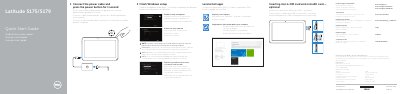
This guide helps you power on and set up your Dell Latitude 5175/5179 laptop. It covers connecting to Wi-Fi, signing in to your Microsoft account, and enabling security updates. The guide also details port locations and optional features like fingerprint readers and NFC sensors. Regulatory and safety information is included for compliance with Mexican standards.
| Battery | Integrated rechargeable lithium-ion battery |
|---|---|
| Input Voltage | 100 V AC–240 V AC |
| Input Frequency | 50 Hz–60 Hz |
| Output Voltage | 5 V DC/20 V DC |
Enter the wireless network password when prompted during setup.
You must press the power button for 1 second to start the computer.
The computer accepts an input voltage of 100 V CA–240 V CA.
The device must be positioned at least 1.5 centimeters away from the body.