
Dell Latitude 5175/5179 Quick Start Guide
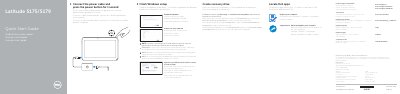
This document serves as a Quick Start Guide for the Dell Latitude 5175 and Latitude 5179 laptops. It outlines the essential steps required to set up the device immediately after unboxing, such as connecting the power cable, registering the computer with Dell support, and configuring the operating system.
| Battery Model | F17M7 / 0RVR9 / 8XKW5 |
|---|---|
| Battery Capacity | 30Wh |
| Charger Model | HA30NM150 / HKA30NM150 / DA30NM150 |
| Input Voltage | 100 V CA–240 V CA |
| Input Frequency | 50 Hz–60 Hz |
| Input Current | 1,30 A |
| Output Voltage | 5 V DC/20 V DC |
| Output Current | 2,0 A/1,50 A |
You must enter the password for the wireless network access when prompted.
In Windows search, type Recovery, click Create a recovery drive, and follow the instructions on the screen.