
Dell Latitude 5175/5179 Quick Start Guide.
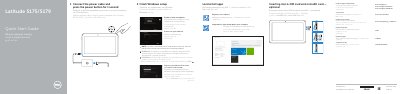
This guide covers initial setup of the Dell Latitude 5175/5179, including finishing Windows setup, enabling security and updates, connecting to a network, signing in to a Microsoft account, locating Dell apps, registering the computer, and using SupportAssist to check and update it. It also describes optional micro-SIM and microSD card insertion and optional network connection steps.
The guide includes a numbered diagram of the computer's external features, such as ports, cameras, microphones, buttons, docking connector, and card slots, with model-specific items noted for Latitude 5175 and Latitude 5179. It also provides product support and manual links, regulatory and safety information, regulatory model T04E, and regulatory type T04E001.
| Regulatory model | T04E |
|---|---|
| Fingerprint reader | Latitude 5179 only |
| Smart-card reader | Latitude 5179 only |
| Micro-SIM card slot | Included |
| MicroSD-card slot | Included |
Press the power button for 1 second.
Use Dell.com/support and Dell.com/support/manuals.
The fingerprint reader is for Latitude 5179 only.
The smart-card reader is for Latitude 5179 only.