
Key facts
- Brand
- DELL
- Model
- KM717
- Category
- Mouse keyboard
- Documents
- 3
- Languages
- EN
- Last added
- 2023-11-24
Start here
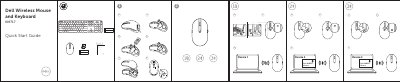
Dell KM717/WM527/WK717 Wireless Mouse and Keyboard Quick Start Guide
This document is the Quick Start Guide for the Dell Wireless Mouse and Keyboard KM717/WM527/WK717. It was printed by Dell Inc. in 2016 in China.
It lists Dell support and manuals websites, regulatory compliance information, and devices labeled Device 1, Device 2, and Device3.
Dell KM717 specifications
| Model number | KM7171 |
|---|---|
| Connection type | 2.4 GHz Wireless & Bluetooth dual mode technology |
| Operating voltage | 1.0 V - 1.5 V |
| Weight (without battery) | 62 g (0.1366 lb) |
| Dimensions | Length 113.3 mm (4.461 in) Width 66.7 mm (2.626 in) Height 36.05 mm (1.419 in) |
| Operating temperature | -10°C to 50°C |
| Radio transmission range | Up to 10 m |
Source: Dell KM7171 Wireless Mouse and Keyboard User's Guide
All Dell KM717 documents by type
The shortest path to a working setup, usually only a few pages.
Day-to-day operation, settings and troubleshooting. Start here if the product is already set up.
Questions answered in these manuals
What is this Dell document?
It is the Quick Start Guide for the Dell Wireless Mouse and Keyboard KM717.
From: Dell KM717/WM527/WK717 Wireless Mouse and Keyboard Quick Start Guide
When was this guide published?
Dell Inc. published it in 2016.
From: Dell KM717/WM527/WK717 Wireless Mouse and Keyboard Quick Start Guide
What systems are supported for 2.4 GHz connectivity?
Microsoft Windows 10, 8, 7, XP, Vista, Server 2003, 2008, 2012, Linux 6.x, Ubuntu, Neokylin, Free DOS, Chrome, and Android.
What is the operating voltage for the device?
1.0 V - 1.5 V.
Why is my Bluetooth keyboard and mouse slow when reconnecting to my computer, when compared to my mouse using a USB 2.0 Nano dongle?
A wireless mouse using a USB 2.0 Nano dongle utilizes a dedicated 2.4G connection between the computer and mouse, making the reconnection almost instantaneous. Using a Bluetooth connection, the Dell KM717 Bluetooth keyboard and mouse shares the same 2.4G bandwidth with the Wireless subsystem of the computer making reconnection slower in comparison to a wireless mouse using a 2.0 USB Nano dongle. During this reconnection process, mouse cursor movement could be seen as erratic until the reconnection link is fully established.
What batteries are required for the Dell KM717 wireless mouse and keyboard?
The device requires two AAA alkaline batteries to operate.