
Dell Latitude 5175/5179 Quick Start Guide
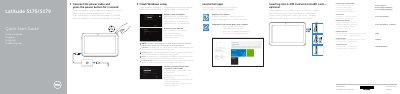
This Dell Latitude 5175/5179 Quick Start Guide is a multilingual document for initial setup of the computer. It covers connecting power, finishing Windows setup, enabling security and updates, connecting to a network, signing in, locating Dell apps, using SupportAssist, and registering the computer.
The guide also lists product features and ports, including USB, micro-HDMI, micro-SIM, microSD, docking, cameras, NFC, fingerprint reader, and smart-card reader, and provides product support, regulatory, and safety references.
| USB 3.0 port | Included |
|---|---|
| USB 3.0 and power-adapter port (USB-C) | Included |
| Micro-HDMI port | Included |
| Micro-SIM card slot | Included |
| MicroSD card slot | Included |
| NFC sensor area | Latitude 5175 only |
| Fingerprint reader | Latitude 5179 only |
| Smart-card reader | Latitude 5179 only |
| Front camera | Included |
| Rear camera | Included |
Connect the power cable and press the power button for 1 second.
Enter the password for the wireless network access when prompted.
The fingerprint reader is included on Latitude 5179 only.
The features list identifies the Service Tag label as item 20.