
Dell Latitude 5175/5179 Quick Start Guide

The Dell Latitude 5175/5179 Quick Start Guide introduces the features and characteristics of the product.
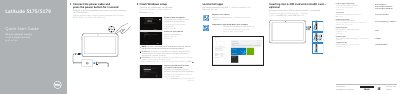

Dell Latitude 5175/5179 Quick Start Guide - cover page
Brand
DELL
Category
Laptops
Document type
Quick Start Guide
Language
English
Pages
2
File format
PDF
File size
1.2 MB
Published
25 November, 2023
Updated
25 November, 2023
MD5 checksum
C376ABBF2FB8687C0187759D6C5F6A94

About this manual

This guide helps you power on and set up your Dell Latitude 5175/5179 laptop. It includes steps to connect to Wi-Fi, enable security, and configure Windows. The guide also details port locations and optional features like fingerprint reader and NFC, specific to each model.

What's inside

  • Powering On
  • Connecting to Wi-Fi
  • Windows Setup
  • Security and Updates
  • Port Locations
  • Optional Features

Frequently asked questions

How do I connect to a wireless network?

In the charms sidebar, tap Settings, tap the wireless icon, select your network, and tap Connect.

What ports are available on the laptop?

Ports include USB 3.0, micro-HDMI, USB-C, headphone jack, micro-SIM, microSD, and docking connectors.

Download PDF (1.2 MB)

More DELL Manuals


View all DELL manuals →