
Dell Latitude 5175/5179 Quick Start Guide

Dell Latitude 5175/5179 Quick Start Guide
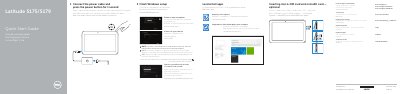

Dell Latitude 5175/5179 Quick Start Guide - cover page
Brand
DELL
Category
Laptops
Document type
Quick Start Guide
Language
English
Pages
2
File format
PDF
File size
1.2 MB
Published
25 November, 2023
Updated
25 November, 2023
MD5 checksum
2627ECE38E12D82E17B1C6AA562E9CE4

About this manual

The Dell Latitude 5175/5179 Quick Start Guide provides essential instructions for powering on the device, completing the Windows setup, and connecting to a network.

It includes a detailed hardware map identifying ports and features, such as USB-C, Micro-HDMI, and model-specific components like the fingerprint reader and smart-card reader.

What's inside

  • Product support and manuals
  • Regulatory and safety
  • Finish Windows setup
  • Connecting to your network
  • Inserting micro-SIM card and microSD card
  • Register your computer
  • SupportAssist

Specifications

Regulatory modelT04E
Regulatory typeT04E001

Frequently asked questions

How do I turn on the computer?

Connect the power cable and press the power button for 1 second.

Which models have a fingerprint reader?

The fingerprint reader is available on the Latitude 5179 only.

Download PDF (1.2 MB)

More DELL Manuals


View all DELL manuals →