
The Dell Latitude 5175/5179 Series Notebook Quick Start Guide.
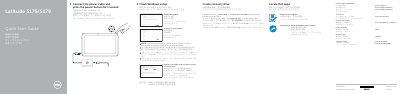
This Quick Start Guide covers the Dell Latitude 5175/5179 Series notebook. It includes steps to register the computer, connect the power cable, finish Windows setup, enable Dell updates, connect to a network, sign in to a Microsoft account, locate Dell apps, and create a recovery drive.
A features diagram identifies the power button, ports, card slots, and buttons. The document lists regulatory model T04E and regulatory type T04E001, and provides Dell support and contact websites.
| USB port | USB 3.0 port |
|---|---|
| Video port | Micro-HDMI port |
| Audio port | Headset port |
| NFC sensor | Latitude 5175 only |
| Fingerprint reader | Latitude 5179 only |
| Smart-card reader | Latitude 5179 only |
| SIM card slot | Micro-SIM card slot |
Connect the power cable and press the power button for 1 second.
In Windows search, type Recovery, click Create a recovery drive, and follow the instructions on the screen.
The fingerprint reader is available on Latitude 5179 only.