
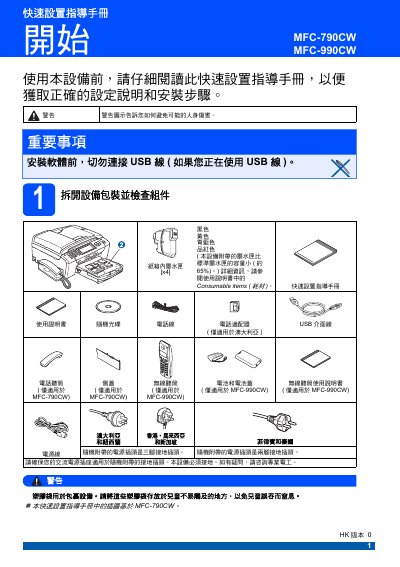
This quick setup guide provides step‑by‑step instructions for unpacking, installing, and configuring the Brother MFC-790CW and MFC-990CW multifunction printers. It covers safety warnings, proper connection of power and telephone lines, paper loading, ink‑tank installation, and initial print‑quality checks.
The manual also explains how to perform network and factory resets, replace consumables such as the water tank, and verify proper operation through the LCD prompts. All procedures are illustrated with diagrams and safety notes to help users avoid damage or injury. This manual is written in Chinese.
| Supported paper size | A4 |
|---|
No, the manual advises not to connect the USB cable before installation.