
Key facts
- Brand
- STMicroelectronics
- Model
- STM32F429
- Category
- microcontrollers
- Industry
- Electronics
- Documents
- 2
- Languages
- EN
- Last added
- 2023-10-13
Start here
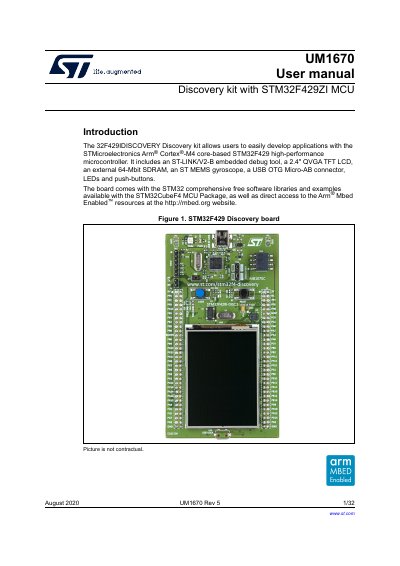
UM1670 User manual Discovery kit with STM32F429ZI MCU
The STM32F429ZI Discovery kit is a development board designed for the STM32F429 high-performance microcontroller featuring an Arm Cortex-M4 core. It includes essential peripherals such as a 2.4" QVGA TFT LCD, 64-Mbit SDRAM, and an embedded ST-LINK/V2-B debug tool to facilitate application development. The board supports USB OTG and comes with comprehensive free software libraries and examples.
This user manual provides instructions on setting up the development environment, including system requirements and toolchains like STM32CubeIDE and Keil. It details the hardware layout, pin functions, jumper configurations, and power supply options, along with a quick start guide to launch demonstration applications.
STMicroelectronics STM32F429 specifications
| Microcontroller | STM32F429ZIT6 |
|---|---|
| Flash memory | 2 Mbytes |
| RAM | 256 Kbytes |
| Display | 2.4" QVGA TFT LCD |
| SDRAM | 64-Mbit |
| Package | LQFP144 |
| Gyroscope | I3G4250D |
Source: UM1670 User manual Discovery kit with STM32F429ZI MCU
All STMicroelectronics STM32F429 documents by type
Instruction set, parameters and examples for configuring or programming the device.
Day-to-day operation, settings and troubleshooting. Start here if the product is already set up.
Questions answered in these manuals
What is the purpose of this document?
It provides complete information on how to use the STM32F4 microcontroller memory and peripherals.
What type of microcontrollers does this manual cover?
This manual covers STM32F405xx/07xx, STM32F415xx/17xx, STM32F42xxx, and STM32F43xxx microcontrollers.
What are the system requirements for using the STM32F429 Discovery kit?
The kit requires Windows OS (7, 8, and 10), Linux 64-bit, or macOS, along with a USB Type-A to Mini-B cable.
How do I power the STM32F429 Discovery board?
The board can be powered through the USB bus or from an external 5 V supply voltage.