
Key facts
- Brand
- Philips
- Model
- SA4111
- Documents
- 3
- Languages
- ZH
- Last added
- 2012-03-20
Start here
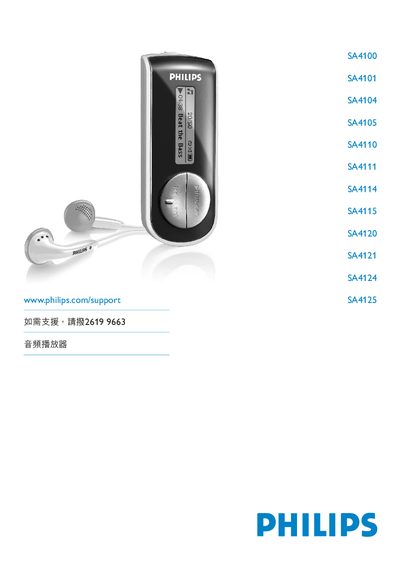
Philips SA4100 SA4101 SA4104 SA4105 SA4110 SA4111 SA4114 SA4115 SA4120 SA4121 SA4124 SA4125 Audio Player User Manual
This manual provides safety guidelines, product contents, and step‑by‑step instructions for setting up Philips SA4100‑SA4125 audio players. It explains how to install batteries, connect the device to a computer, and transfer music using Windows Media Player 10.
Detailed sections cover music playback, voice recording, device settings, firmware upgrades, technical data, and a FAQ. Contact information for Philips support worldwide is also included. This manual is written in Chinese.
Philips SA4111 specifications
| Operating temperature | 0 °C to 35 °C (32 °F to 95 °F) |
|---|---|
| Storage temperature | -20 °C to 45 °C (-4 °F to 113 °F) |
| Supported OS | Windows XP (SP2 or later) |
| Processor requirement | Pentium class 300 MHz or higher |
| Memory requirement | 128 MB RAM |
| Hard‑disk space | 500 MB free |
| Browser requirement | Internet Explorer 6.0 or newer |
All Philips SA4111 documents by type
Day-to-day operation, settings and troubleshooting. Start here if the product is already set up.
- Philips SA4100 SA4101 SA4104 SA4105 SA4110 SA4111 SA4114 SA4115 SA4120 SA4121 SA4124 SA4125 audio player user manual 16 p
- Philips SA4100 SA4101 SA4104 SA4105 SA4110 SA4111 SA4114 SA4115 SA4120 SA4121 SA4124 SA4125 Audio Player User Manual 17 p
- PHILIPS SA4100 SA4101 SA4104 SA4105 SA4110 SA4111 SA4114 SA4115 SA4120 SA4121 SA4124 SA4125 Audio frequency player Manual 16 p
Questions answered in these manuals
What temperature range is safe for operating the player?
The player can be used in temperatures from 0 °C to 35 °C (32 °F to 95 °F).
How can I upgrade the player’s firmware?
Connect the player to a PC, start Philips Device Manager, and select Update to download and install the latest firmware.
What happens if the player is idle for a while?
If there is no activity for three minutes, the player automatically powers off.