
Key facts
- Brand
- Philips
- Model
- SA1355
- Documents
- 5
- Languages
- ZH · EN
- Last added
- 2011-09-30
Start here
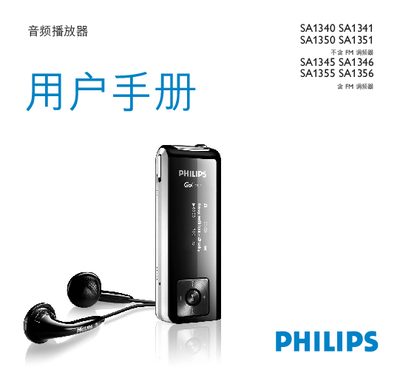
Philips SA1340/SA1341/SA1350/SA1351/SA1345/SA1346/SA1355/SA1356 Audio Player User Manual
This manual introduces the Philips SA1340‑SA1356 audio players, describing the device’s features such as MP3/WMA playback, optional FM radio, and voice/FM recording. It guides you through initial setup, firmware installation, and custom settings.
Detailed sections explain how to connect and charge the built‑in USB rechargeable battery, transfer music via Windows Explorer, use the music and folder navigation menus, and perform troubleshooting and firmware updates. This manual is written in Chinese.
Philips SA1355 specifications
| Display type | OLED |
|---|---|
| Resolution | 128 × 64 pixels |
| Output power | 2 × 5 mW (16 Ω) |
| Signal‑to‑noise ratio | > 85 dB |
| Frequency response | 30‑18000 Hz |
| Supported audio formats | MP3, WAV, Windows Media™ audio |
| MP3 bitrate | 8‑320 kbps (VBR available) |
| MP3 sampling frequencies | 8, 11.025, 16, 22.050, 32, 44.1, 48 kHz |
| WMA bitrate | 5‑192 kbps |
| Internal storage capacity | 1 GB |
| Internal storage type | NAND Flash |
| Battery capacity | 300 mAh |
| Battery type | Lithium‑polymer |
| Playback time | up to 10 hours |
| USB version | USB 2.0 |
| FM tuner band | 87.5‑108 MHz (stereo) |
| Headphone jack | 3.5 mm |
| Weight | 0.04 kg |
All Philips SA1355 documents by type
Day-to-day operation, settings and troubleshooting. Start here if the product is already set up.
- Philips SA1340/SA1341/SA1350/SA1351/SA1345/SA1346/SA1355/SA1356 Audio Player User Manual 26 p
- PHILIPS SA1340 SA1341 SA1350 SA1351 Excluding FM FM SA1345 SA1346 SA1355 SA1356 Contain FM FM user manual
- Philips SA1340/SA1341/SA1350/SA1351/SA1345/SA1346/SA1355/SA1356 User Manual 25 p
- Philips SA1340/SA1341/SA1345/SA1346/SA1350/SA1351/SA1355/SA1356 Audio Player User Manual 25 p
Questions answered in these manuals
How can I transfer music to the Philips SA1355?
Connect the player to a PC using the direct‑plug USB port; the computer will recognize it as a removable USB storage device for easy file drag‑and‑drop.
What audio formats can be played on the SA1355?
The player supports MP3, WAV, and Windows Media™ audio files.
How do I charge the audio player?
Connect the USB connector to a computer’s USB port and charge for about 4 hours or until the battery icon stops flashing.
From: Philips SA1340/SA1341/SA1350/SA1351/SA1345/SA1346/SA1355/SA1356 Audio Player User Manual
How can I transfer music to the player?
While the player is connected via USB, use Windows Explorer to drag and drop songs from the computer to the player.
From: Philips SA1340/SA1341/SA1350/SA1351/SA1345/SA1346/SA1355/SA1356 Audio Player User Manual
Does this player include an FM radio?
Only some regional versions of the player include an FM radio; the manual notes that FM functionality is not present in all models.
From: Philips SA1340/SA1341/SA1345/SA1346/SA1350/SA1351/SA1355/SA1356 Audio Player User Manual
What is the battery capacity of the device?
The player uses a rechargeable lithium battery with a capacity of 280 mAh.
From: Philips SA1340/SA1341/SA1345/SA1346/SA1350/SA1351/SA1355/SA1356 Audio Player User Manual