
This document introduces the features and usage methods of audio players such as SA1340, SA1341, SA1350, and SA1351. SA1345, SA1346, SA1355, and SA1356 have FM tuning functions. Users can visit www.philips.com/welcome to obtain complete support information.
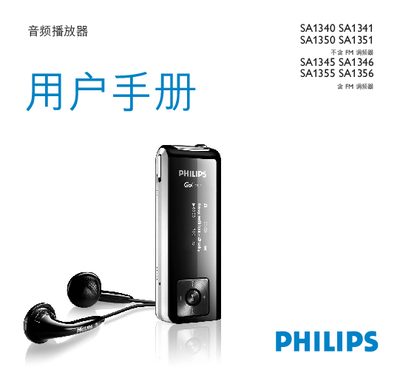
This manual introduces the Philips SA1340‑SA1356 audio players, describing the device’s features such as MP3/WMA playback, optional FM radio, and voice/FM recording. It guides you through initial setup, firmware installation, and custom settings.
Detailed sections explain how to connect and charge the built‑in USB rechargeable battery, transfer music via Windows Explorer, use the music and folder navigation menus, and perform troubleshooting and firmware updates. This manual is written in Chinese.
| Supported Operating Systems | Windows ME, 2000 or XP |
|---|---|
| CPU Requirement | 300 MHz Pentium or higher |
| Minimum RAM | 128 MB |
| Hard Disk Space Required | 500 MB |
| Battery Type | Li‑ion rechargeable |
| Charging Time | ≈4 hours or until battery icon stops flashing |
Connect the USB connector to a computer’s USB port and charge for about 4 hours or until the battery icon stops flashing.
While the player is connected via USB, use Windows Explorer to drag and drop songs from the computer to the player.
Only certain regional versions of the SA13xx series include FM radio functionality.
Install the Firmware Manager from the supplied CD and follow the on‑screen instructions to update or restore the firmware.