
Key facts
- Brand
- Philips
- Model
- HSB4383
- Category
- Hi-Fi
- Industry
- Appliances
- Documents
- 4
- Languages
- EN · ZH
- Last added
- 2012-03-26
Start here
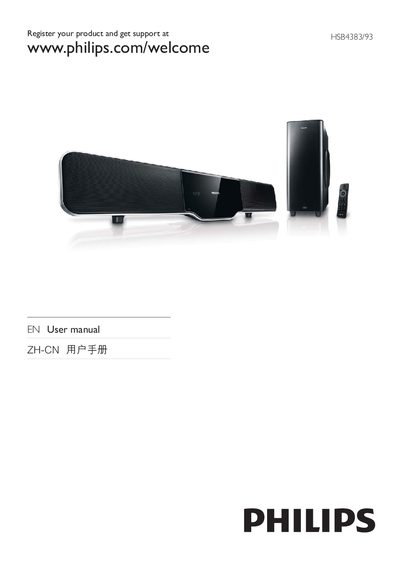
Philips HSB4383/93 User Manual
This manual explains how to register the Philips HSB4383/93 DVD player and obtain support, with a registration URL shown at the beginning of the document. It also lists the supported media formats such as DVD, VCD, CD, MP3, WMA and popular codecs like DivX and DTS.
Safety information warns users not to open the device, stating that there are no user‑serviceable parts and that servicing should be performed by qualified personnel. The manual also highlights key features including HDMI and USB interfaces, Energy Star compliance, and the Class 1 laser safety classification.
Philips HSB4383 specifications
| Supported Media Formats | DVD, VCD, CD, MP3, WMA |
|---|---|
| HDMI Interface | Available |
| USB Interface | USB‑IF #4 Universal Serial Bus |
| Energy Star Certification | Compliant |
| Laser Classification | Class 1 |
Source: Philips HSB4383/93 User Manual
All Philips HSB4383 documents by type
Day-to-day operation, settings and troubleshooting. Start here if the product is already set up.
Questions answered in these manuals
How do I register my Philips HSB4383/93?
Register your product and get support at HSB4383/93 via the URL provided in the manual.
What is the total audio output power of the system?
The system provides a total RMS output power of 300 W.
How can multiple devices be controlled with a single remote?
EasyLink uses the HDMI‑CEC protocol, allowing one remote to control all connected HDMI‑CEC devices.
How can I control multiple Philips devices with one remote?
Use EasyLink, which works over HDMI CEC to let a single remote operate all connected EasyLink‑compatible devices.
What is the total RMS output power of the HSB4383 SoundBar?
The SoundBar delivers 300 W RMS total output power.