
Key facts
- Brand
- Philips
- Model
- 237E3Q
- Category
- Monitor
- Industry
- Electronics
- Documents
- 2
- Languages
- UK · ZH
- Last added
- 2026-11-11
Start here
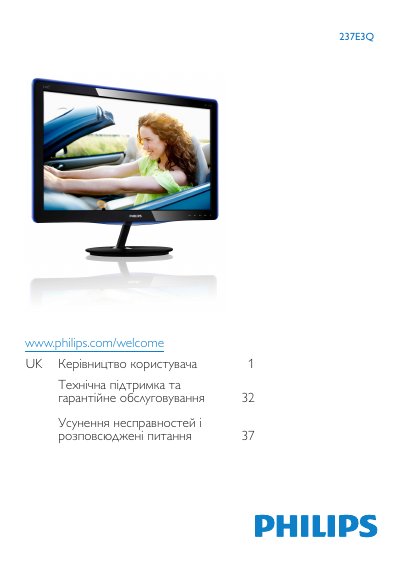
Philips 237E3Q Monitor User Manual
This user manual is for the Philips 237E3Q monitor and also references the 237E3QPH variant. It covers safety and care, installation, monitor operation, image optimization, PowerSensor, technical specifications, power management, regulatory information, support, and troubleshooting.
The manual describes front-panel controls and the on-screen menu, including SmartImage Lite modes and OSD settings. It states a recommended resolution of 1920×1080 at 60 Hz and operating conditions of 0-40°C and 20-80% relative humidity.
Philips 237E3Q specifications
| Panel type | IPS |
|---|---|
| Screen size | 23" (58.42 cm) |
| Resolution | 1920 × 1080 @ 60 Hz |
| Brightness | 250 cd/m² |
| Contrast (typical) | 1000:1 |
| Response time (typical) | 14 ms |
| Typical power consumption (on) | 32.7 W |
| Input voltage | 100‑240 VAC, 50‑60 Hz |
| Weight (with base) | 3.46 kg |
All Philips 237E3Q documents by type
Day-to-day operation, settings and troubleshooting. Start here if the product is already set up.
Questions answered in these manuals
What resolution is recommended for the Philips 237E3Q monitor?
The monitor is designed for optimal operation at 1920×1080 at 60 Hz.
What temperature and humidity range is recommended for operation?
Use the monitor at 0-40°C and 20-80% relative humidity.
What should I do if the monitor shows “Cannot display this video mode”?
Set the PC resolution to the monitor’s native 1920 × 1080 @ 60 Hz and ensure the refresh rate is 60 Hz, then reconnect the monitor.
What is the recommended refresh rate for the LCD monitor?
The recommended refresh rate is 60 Hz; you may try up to 75 Hz to check for interference.