
This is a user manual of DCTG622 and DCTG625 telephones, which introduces the functions and usage of the telephones.
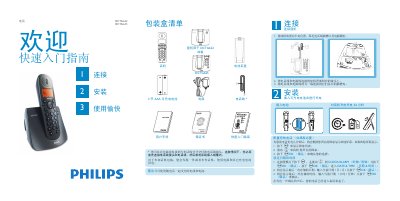
This quick start guide provides step‑by‑step instructions for unpacking, connecting the power and telephone lines, inserting the rechargeable AAA batteries, and powering the DCTG622/DCTG625 handset. It also covers initial configuration such as selecting the country, setting the date and time, and adjusting basic settings.
The guide details everyday functions like dialing, answering, ending calls, managing the phonebook, customizing ringtones, and, for the DCTG625 model, using the built‑in answering‑machine features. A troubleshooting section lists common issues and simple remedies. This manual is written in Chinese.
| Battery type | 2 x AAA rechargeable |
|---|---|
| Maximum dial number length | 24 digits |
| Phonebook name length | Up to 12 letters |
Check the wiring, charge the battery, and use the supplied phone line.
Press the m key, select CLOCK/ALARM, then enter the date and time and confirm with mOK.
In idle mode, press and hold the * key for 1 second to lock or unlock.