
Key facts
- Brand
- Philips
- Model
- ID555
- Category
- Telephone
- Industry
- Electronics
- Documents
- 4
- Languages
- EN · ZH
- Last added
- 2012-03-23
Start here
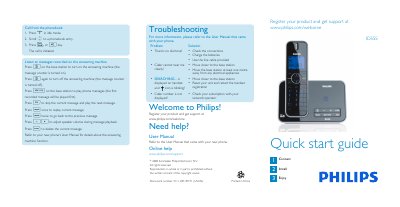
Philips ID555 Quick Start Guide
The guide explains how to use the answering‑machine features of the ID555, including playing, deleting and navigating recorded messages. It also shows how to make calls, answer incoming calls, end calls, adjust volume, and manage the phonebook (store, access and edit contacts).\n\nAdditional sections cover setting the ring melody, troubleshooting common issues such as no dial tone or poor audio, and a brief overview of the items included in the box and how to install the base station and charge the rechargeable battery.
Read onlinePhilips ID555 specifications
| Display | Progressive LCD backlight |
|---|---|
| Phonebook capacity | 200 entries |
| Redial list capacity | 20 entries |
| Call log capacity | 50 entries |
| Battery | 1 Li‑ion polymer 500 mAh |
| Radio frequency band | 1880‑1900 MHz |
| Maximum output power | 250 mW |
| Power consumption (idle) | ≈800 mW |
| Handset weight | 74 g |
| Handset dimensions | 144 × 13 × 43 mm (H × D × W) |
Source: Philips ID555 Telephone Answering Machine User Guide
All Philips ID555 documents by type
Day-to-day operation, settings and troubleshooting. Start here if the product is already set up.
The shortest path to a working setup, usually only a few pages.
Questions answered in these manuals
Why does the handset keep going into idle mode?
If there are no key presses for 30 seconds, the handset automatically returns to idle mode, or when placed back on the base station.
What is the default master PIN and how can I reset it?
The default master PIN is 0000; if it has been changed, reset the handset to revert to the default PIN.
How do I answer an incoming call?
When the phone rings, press the r or v key.
What should I do if there is no dial tone?
Check the connections, charge the batteries, and use the line cable provided.
How do I listen to a message?
Press the “o” button on the handset to start playback; press it again to stop.
From: Philips ID555 Telephone Answering Machine Simple Operating Instructions
How do I delete a message?
Press the “x” button while a message is playing to delete the current message.
From: Philips ID555 Telephone Answering Machine Simple Operating Instructions