
Key facts
- Brand
- DELL
- Model
- W-IAP103 Instant
- Category
- Wireless connection
- Documents
- 3
- Languages
- KO · ZH
- Last added
- 2023-11-25
Start here
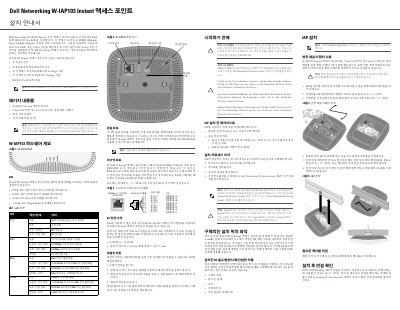
Dell W-IAP103 Instant Access Point Installation Guide
The Dell W-IAP103 Instant access point supports IEEE 802.11a/b/g/n wireless service using MIMO and other high-throughput modes on 2.4 GHz or 5 GHz, while supporting legacy 802.11a/b/g service. It operates only with a virtual controller and provides wireless transceiver, protocol-independent networking, access point, and air monitor functions.
The guide covers hardware overview, package contents, installation checklist, location planning, ceiling rail mounting, cable connections, reset procedure, and LED status verification. Power can be supplied through IEEE 802.3af PoE or an optional AC-DC adapter meeting 12 VDC (+/-5%)/18 W. This manual is written in Korean.
Dell W-IAP103 Instant specifications
| Wireless standards | IEEE 802.11a/b/g/n |
|---|---|
| Frequency bands | 2.4 GHz and 5 GHz |
| MIMO | Multiple-Input, Multiple-Output |
| Ethernet port | 1 x 10/100/1000Base-T (RJ-45) |
| PoE standard | IEEE 802.3af |
| DC power input | 12 VDC (+/-5%), 18 W |
| DC plug | 1.7/4.0 mm circular plug, 9.5 mm length, center positive |
Source: Dell W-IAP103 Instant Access Point Installation Guide
All Dell W-IAP103 Instant documents by type
Mounting, wiring and first power-up. Read it before the hardware goes in.
Questions answered in these manuals
What power options are supported?
It can be powered by an IEEE 802.3af PoE source or an optional Dell AP AC-DC adapter kit; a locally sourced AC-DC adapter meeting 12 VDC (+/-5%)/18 W may also be used.
What DC power plug is required for the W-IAP103 Instant access point?
It requires a center-positive 1.7/4.0mm round plug, length 9.5mm.
What does the LED indicator mean for power status?
PWR LED: Red = error condition, Green flashing = booting, Green steady = ready.
What software version is required to run the W-IAP103 Instant Access Point?
The W-IAP103 Instant Access Point requires Dell Instant 4.1 or a higher version to operate.
What is required to operate the W-IAP103 Instant?
The device requires Dell Instant 4.1 or a higher version to function.
What do the LED indicators signify?
The LEDs indicate the status of power, Ethernet connection, and 2.4 GHz/5 GHz radio states.