
Key facts
Start here
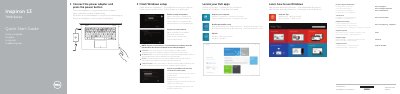
Dell Inspiron 13 7000 Series Laptop Quick Start Guide
This is the two-page Quick Start Guide for the Dell Inspiron 13 7000 Series computer, identified on the sheet as Computer model Inspiron 13-7348 (regulatory model P57G). The text is printed in English together with Danish, Finnish, Norwegian and Swedish.
Page 1 gives the setup steps: connect the power adapter and press the power button, finish Windows setup, enable security and updates, connect to your network (entering the wireless password when prompted), sign in to a Microsoft account or create a local account, locate your Dell apps and register your computer. It also lists Dell support and contact addresses, the 2014 Dell and Microsoft copyright lines and a note to see Specifications at dell.com/support. Page 2 shows a numbered Features list covering microphones, camera and camera-status light, ambient-light sensor, Windows button, security-cable slot, power-adapter port, HDMI port, USB ports, headset port, click areas, power and battery-status light, power button, volume-control buttons, media-card reader, Passive Stylus and the service tag and regulatory labels, followed by tables of shortcut keys and notebook/tablet/tent/stand modes.
Dell Inspiron 13 7000 Series (Inspiron 13-7348) specifications
| Computer model | Inspiron 13-7348 |
|---|---|
| Regulatory model | P57G |
| Regulatory type | P57G001 |
| HDMI port | 1 |
| USB 3.0 port with PowerShare | 1 |
| USB 3.0 port | 1 |
| USB 2.0 port | 1 |
| Media-card reader | 1 |
| Volume-control buttons | 2 |
Source: Dell Inspiron 13 7000 Series Laptop Quick Start Guide
All Dell Inspiron 13 7000 Series (Inspiron 13-7348) documents by type
The shortest path to a working setup, usually only a few pages.
Questions answered in these manuals
How do I start the Dell Inspiron 13 7000 Series for the first time?
Connect the power adapter and press the power button, then finish the Windows setup.
What password do I need when connecting to a wireless network?
If you connect to a secured wireless network, enter the password for the wireless network access when prompted.
How do I start the Dell Inspiron 13 7000 Series laptop?
Connect the power adapter and press the power button.
From: Dell Inspiron 13 7000 Series (Inspiron 13-7348) Laptop Quick Start Guide
What should I enter when connecting to a secured wireless network?
Enter the password for the wireless network access when prompted.
From: Dell Inspiron 13 7000 Series (Inspiron 13-7348) Laptop Quick Start Guide