
Brother MFC-4600 Quick Start Guide

Brother StartCard Installation Instructions

Brother MFC-4600 Quick Start Guide - cover page
Brand
Brother
Category
Fax machine
Document type
Quick Start Guide
Language
English
Pages
1
File format
PDF
File size
163 KB
Published
02 July, 2012
Updated
01 October, 2023
MD5 checksum
AD10C7DE659B1218DBE48B8BB6D90214

About this manual

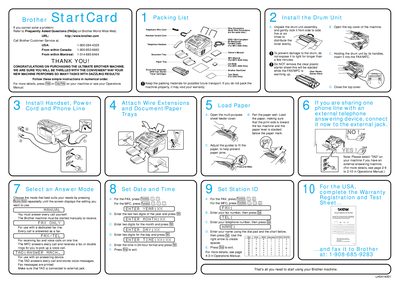
This document serves as a quick start guide for the Brother MFC-4600 multifunction machine. It provides essential instructions for unpacking the device, installing the drum unit assembly, and loading paper into the multi-purpose feeder cover.

The guide also details how to configure the machine for receiving calls, including setting up the date, time, fax number, and telephone number. It explains different modes such as answering every call manually or automatically via TAD (Telephone Answering Device) functionality.

What's inside

  • Unpacking
  • Drum Unit Installation
  • Loading Paper
  • Setting Date and Time
  • Entering Fax Number
  • Configuring Phone Mode

Frequently asked questions

How do I adjust the paper guides in the multi-purpose sheet feeder?

Adjust the guides to fit the paper to help prevent paper jams.

Download PDF (163 KB)

More Brother Manuals


View all Brother manuals →