
Key facts
- Brand
- Philips
- Model
- SA2325
- Documents
- 2
- Languages
- ZH
- Last added
- 2011-10-16
Start here
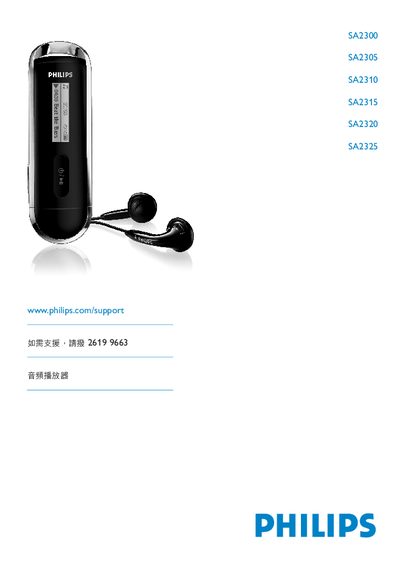
Philips SA2300 SA2305 SA2310 SA2315 SA2320 SA2325 Audio Player User Manual
This manual covers safety guidelines, product contents, registration, and first‑use instructions for the Philips SA2300‑SA2325 audio player series. It explains the control keys, battery installation, USB connection, and data transfer procedures.
Detailed operating instructions include music playback, FM radio tuning, voice recording, settings adjustments, firmware upgrades, technical data, and a FAQ section that answers common questions about battery replacement, supported audio formats, and temperature limits. This manual is written in Chinese.
Philips SA2325 specifications
| Supported audio formats | MP3, WMA (unprotected) |
|---|---|
| FM radio | Optional (region dependent) |
| Operating temperature | 0 °C to 35 °C |
| Storage temperature | -20 °C to 45 °C |
| USB connector | Present |
Source: Philips SA2300 SA2305 SA2310 SA2315 SA2320 SA2325 Audio Player User Manual
All Philips SA2325 documents by type
Day-to-day operation, settings and troubleshooting. Start here if the product is already set up.
Questions answered in these manuals
How do I install the battery?
Remove the USB protective cover, open the battery door, and insert an AAA battery into the battery compartment.
From: Philips SA2300 SA2305 SA2310 SA2315 SA2320 SA2325 Audio Player User Manual
How can I upgrade the player’s software?
Register the product on the Philips website and download the latest firmware from the support page.
From: Philips SA2300 SA2305 SA2310 SA2315 SA2320 SA2325 Audio Player User Manual
How do I safely disconnect the player from the computer?
Exit the application using the player, then click the safe removal icon in the Windows task bar before unplugging the USB cable.
From: PHILIPS SA2300 SA2305 SA2310 SA2315 SA2320 SA2325 player Manual
What are the recommended storage temperature ranges for the player?
Operate between 0 °C and 35 °C and store between –20 °C and 45 °C.
From: PHILIPS SA2300 SA2305 SA2310 SA2315 SA2320 SA2325 player Manual