
Key facts
- Brand
- Philips
- Model
- SA2121
- Documents
- 3
- Languages
- ZH · JA
- Last added
- 2011-10-16
Start here
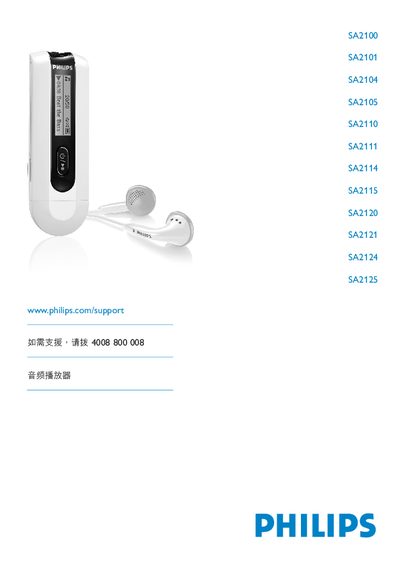
PHILIPS Audio frequency player SA2100 SA2101 SA2104 SA2105 SA2110 SA2111 SA2114 SA2115 SA2120 SA2121 SA2124 SA2125 Manual
This manual provides safety guidelines, product contents, registration instructions, and initial setup for the Philips SA2100‑SA2125 audio player series. It explains battery installation, USB connection, and how to back up your music files, while also detailing environmental and handling precautions.
The guide walks through everyday operation, including control‑key functions, music playback, FM radio, voice recording, and file transfer to a PC. It also covers firmware upgrades, technical data, troubleshooting FAQs, and a glossary of terms used throughout the device. This manual is written in Chinese.
Philips SA2121 specifications
| Operating temperature | 0 °C to 35 °C |
|---|---|
| Storage temperature | -20 °C to 45 °C |
| Supported audio formats | MP3, WMA |
| Maximum supported bitrate | 320 kbps |
| USB connector | Present |
All Philips SA2121 documents by type
Day-to-day operation, settings and troubleshooting. Start here if the product is already set up.
- PHILIPS Audio frequency player SA2100 SA2101 SA2104 SA2105 SA2110 SA2111 SA2114 SA2115 SA2120 SA2121 SA2124 SA2125 Manual 20 p
- PHILIPS SA2100 SA2101 SA2104 SA2105 SA2110 SA2111 SA2114 SA2115 SA2120 SA2121 SA2124 SA2125 player Manual 20 p
- Philips SA2100/SA2101/SA2104/SA2105/SA2110/SA2111/SA2114/SA2115/SA2120/SA2121/SA2124/SA2125 Audio Player User Manual 20 p
Questions answered in these manuals
How do I turn the player on and off?
Press the 2; button to turn on; hold the 2; button to turn off.
How do I transfer music files to the player?
Connect the player via USB; it appears as a mass‑storage device in Windows Explorer, then copy files using drag‑and‑drop or a music‑transfer program.
How do I insert the battery?
Open the battery compartment, remove the cover, and place an AAA battery into the battery slot.
How can I transfer music to the player?
Connect the player to a computer via USB; it will appear as a large‑capacity storage device in Windows Explorer, allowing you to copy files.